Manage Counter
Overview
The Manage Counter API allows users to cap the number of registrations for each event, ensuring that the event does not exceed its registration limit. Additionally, it provides the ability to display a dynamic message on the landing page (via Ajax) when the registration limit is reached.
Setup Instructions
Step 1 — Access the Service
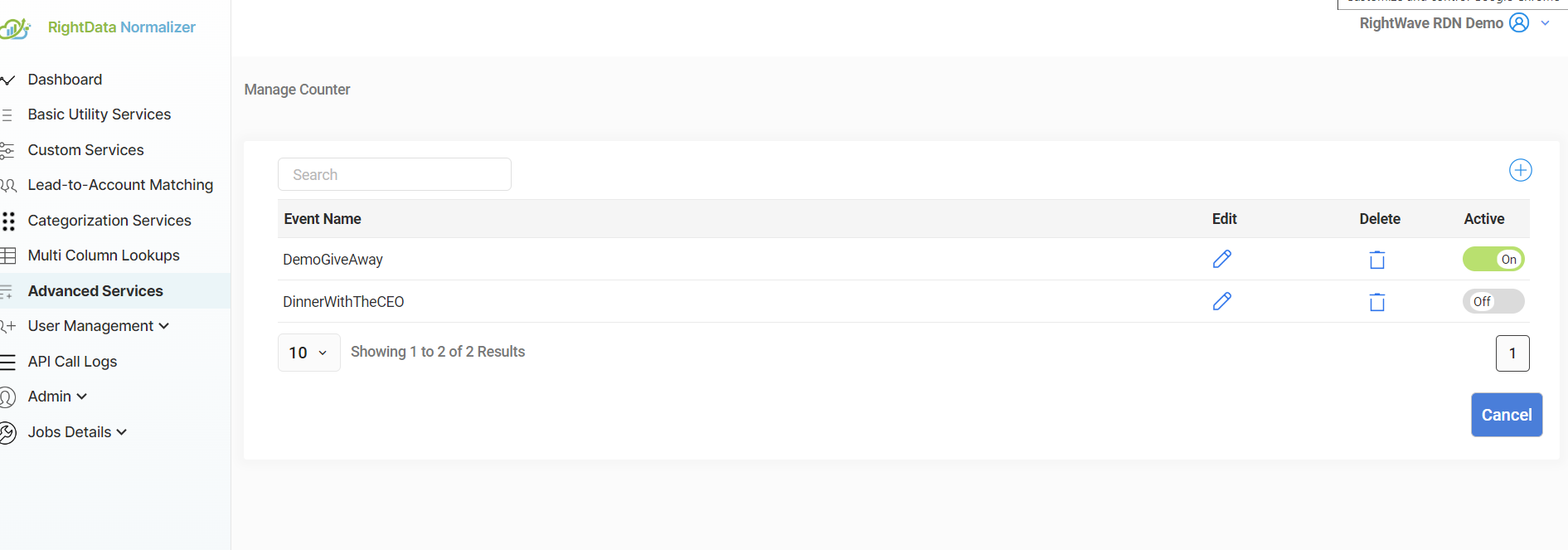
Click on Manage Service, then click the "+" button to create a new Manage Counter service.
Step 2 — Enter Event Details
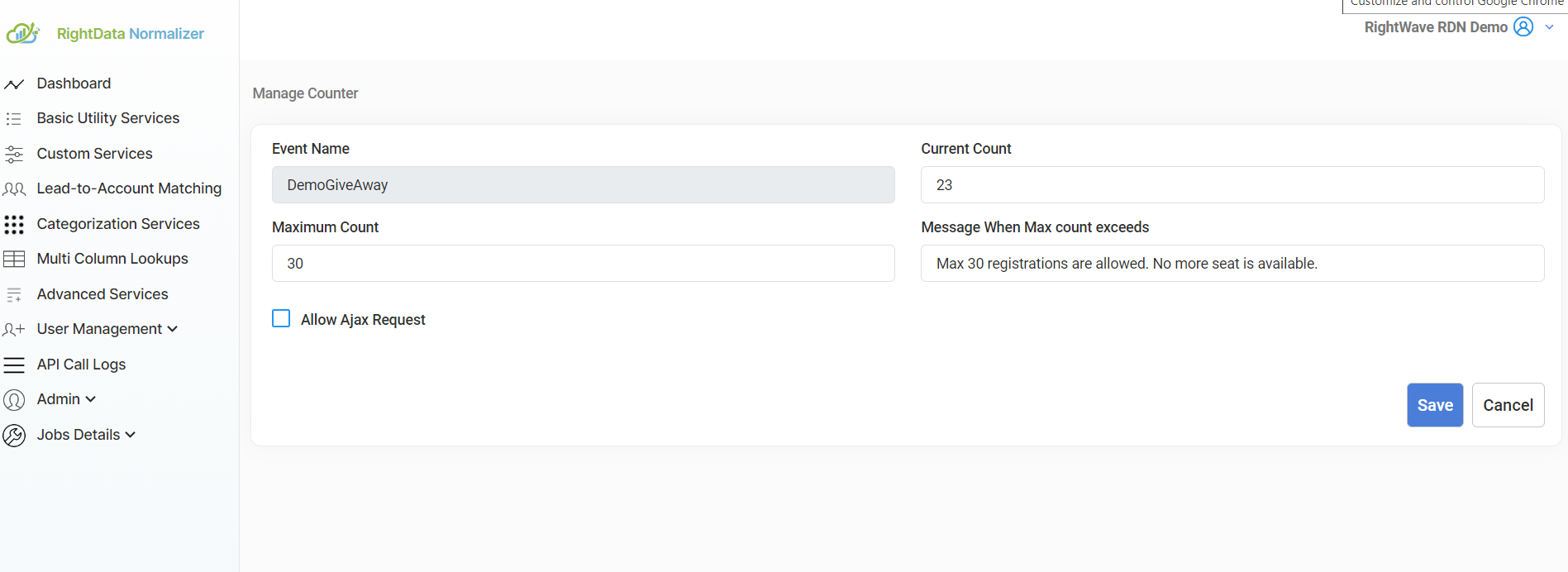
Provide the following information:
| Field | Description | Example |
|---|---|---|
| Event Name | Name of the event | DemoGiveAway |
| Current Count | Starting point for the registration count | 23 |
| Maximum Count | Maximum number of registrations allowed | 30 |
| Message When Maximum Count Reaches | Message displayed once the limit is reached | No more seats are available |
Step 3 — Enable Ajax Request
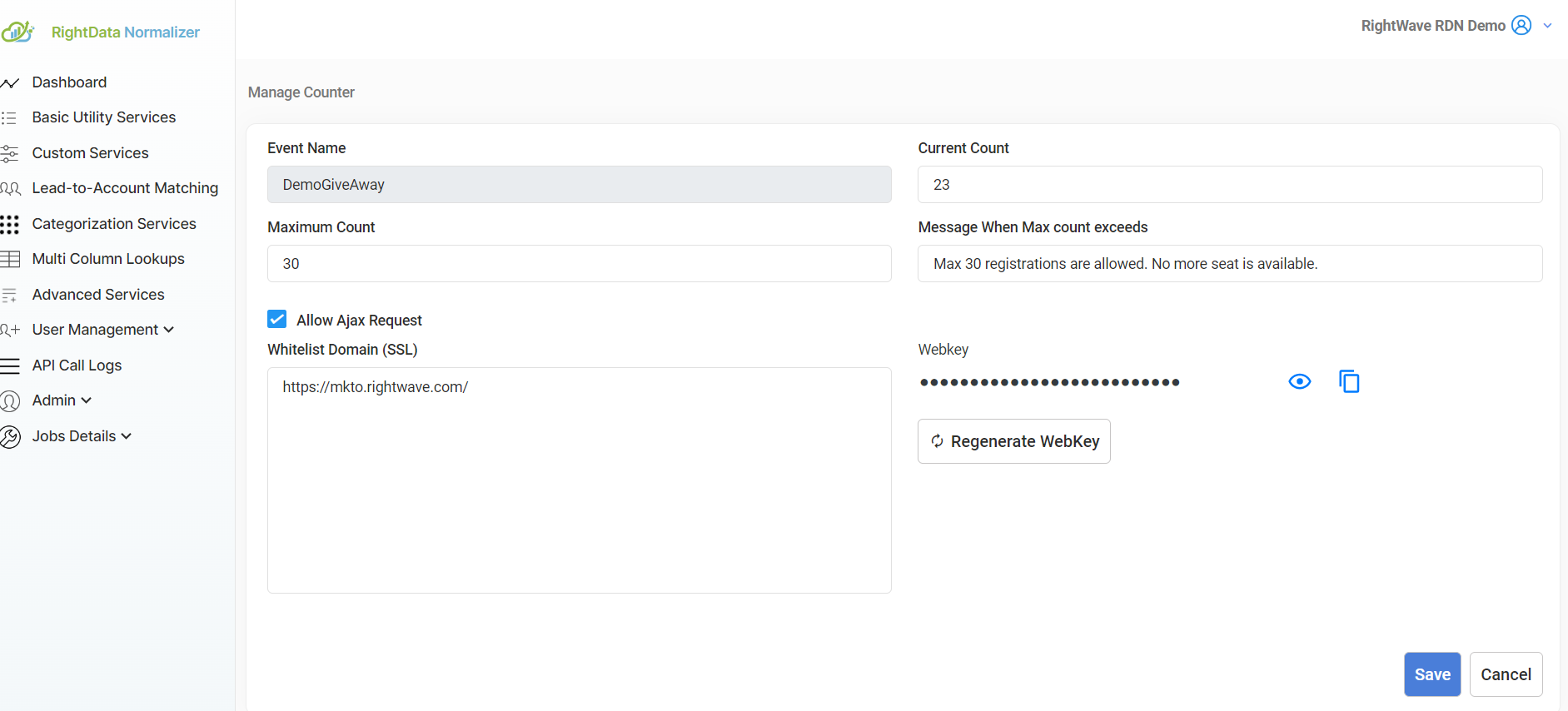
Check the Allow Ajax Request checkbox to enable dynamic interactions on the landing page (such as showing a message when the registration limit is met).
Step 4 — Domain Whitelisting and WebKey
If using the API within an Ajax call:
- Whitelist the domains that will make Ajax requests — ensures only authorized domains can access the API.
- Include a WebKey in your Ajax call for proper authentication.
Step 5 — Save and Activate
After entering the details, click Save.
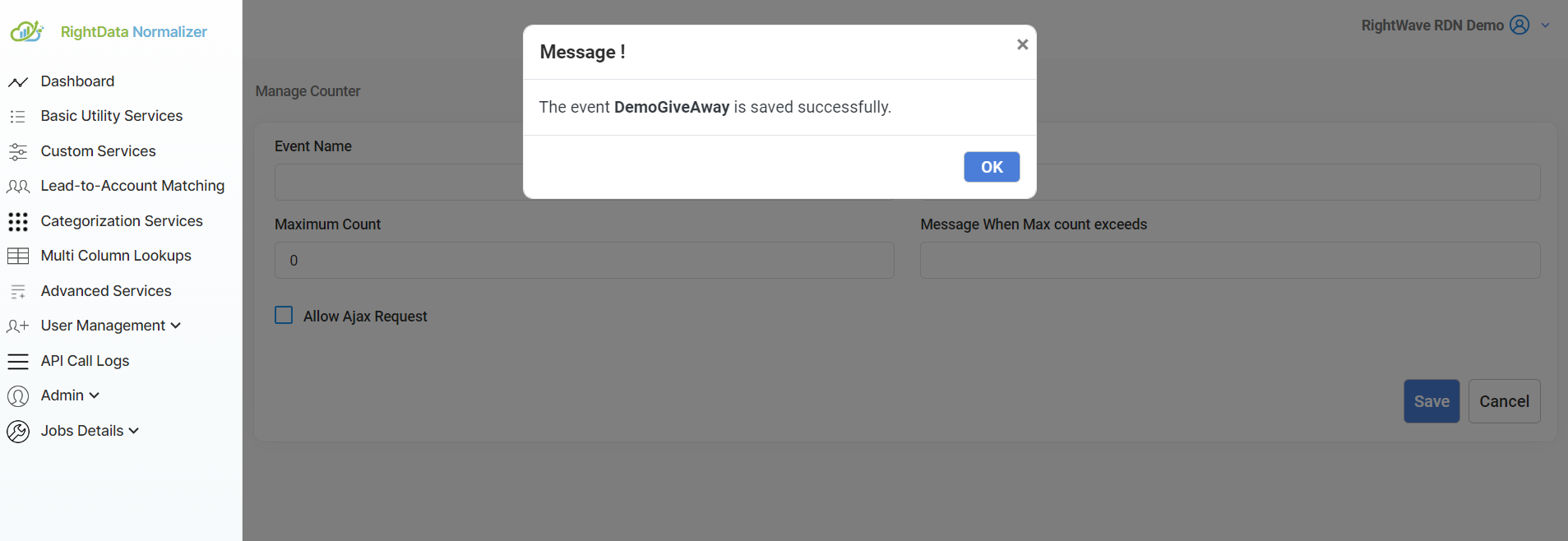
Then Activate the service to start using the API.
API Details
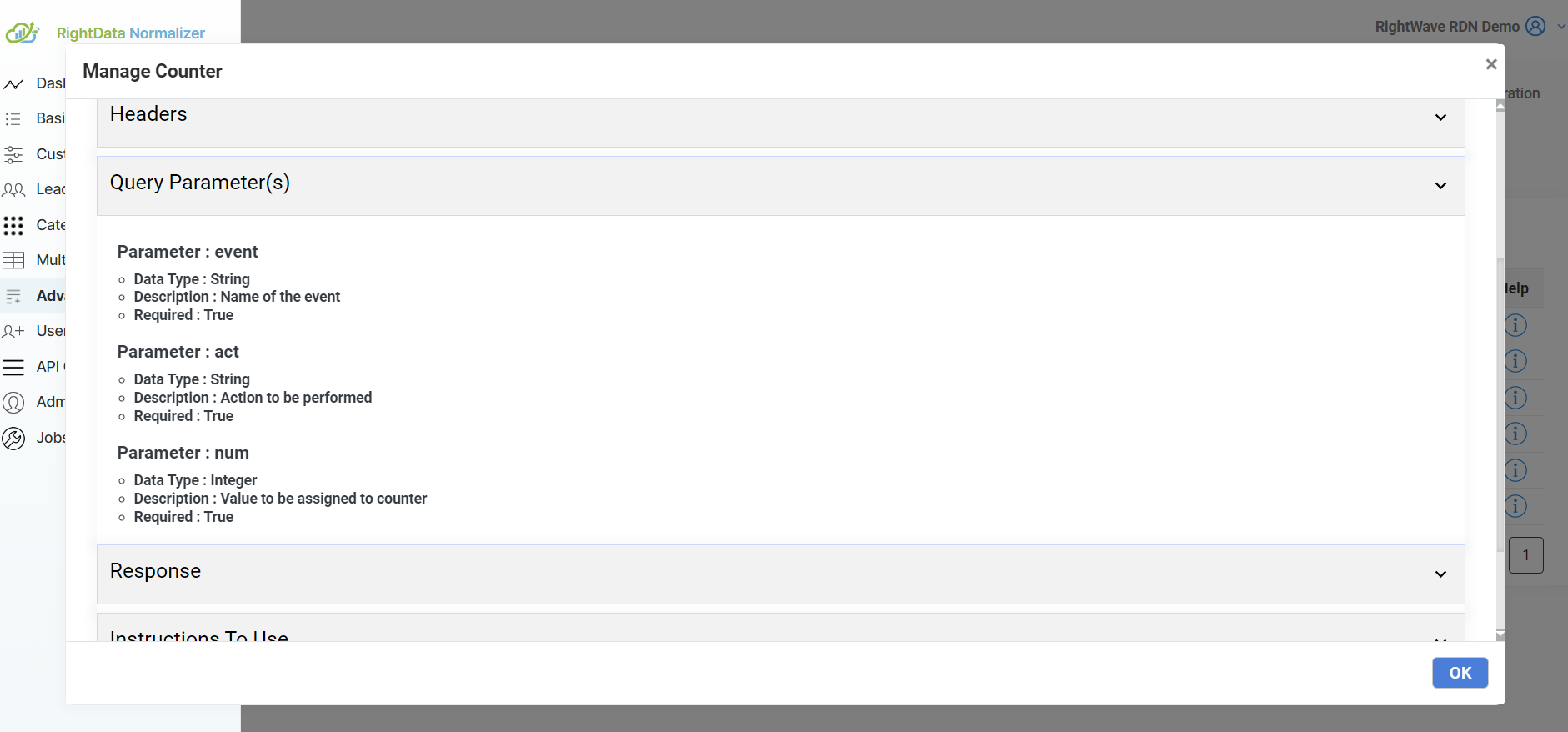
Query Parameters
| Parameter | Description |
|---|---|
event | The name of the event (e.g., DemoGiveAway) |
num | The current count of registrations |
act | The action to execute — can have one of four possible values (e.g., check or increment) |
Webhook URL Example:
https://api.rw001.com/rdn/api/adv/manageCounter?event={Marketo token for event}&act={Marketo token for act}&num={Marketo token for num}
Output JSON:
{"message": "<message value>"}
The message corresponds to the event's registration status (e.g., "Registration full" or "Registration is still open").
Step 6 — Test the Service
Click the "Show Live Testcase" button to test the configuration.
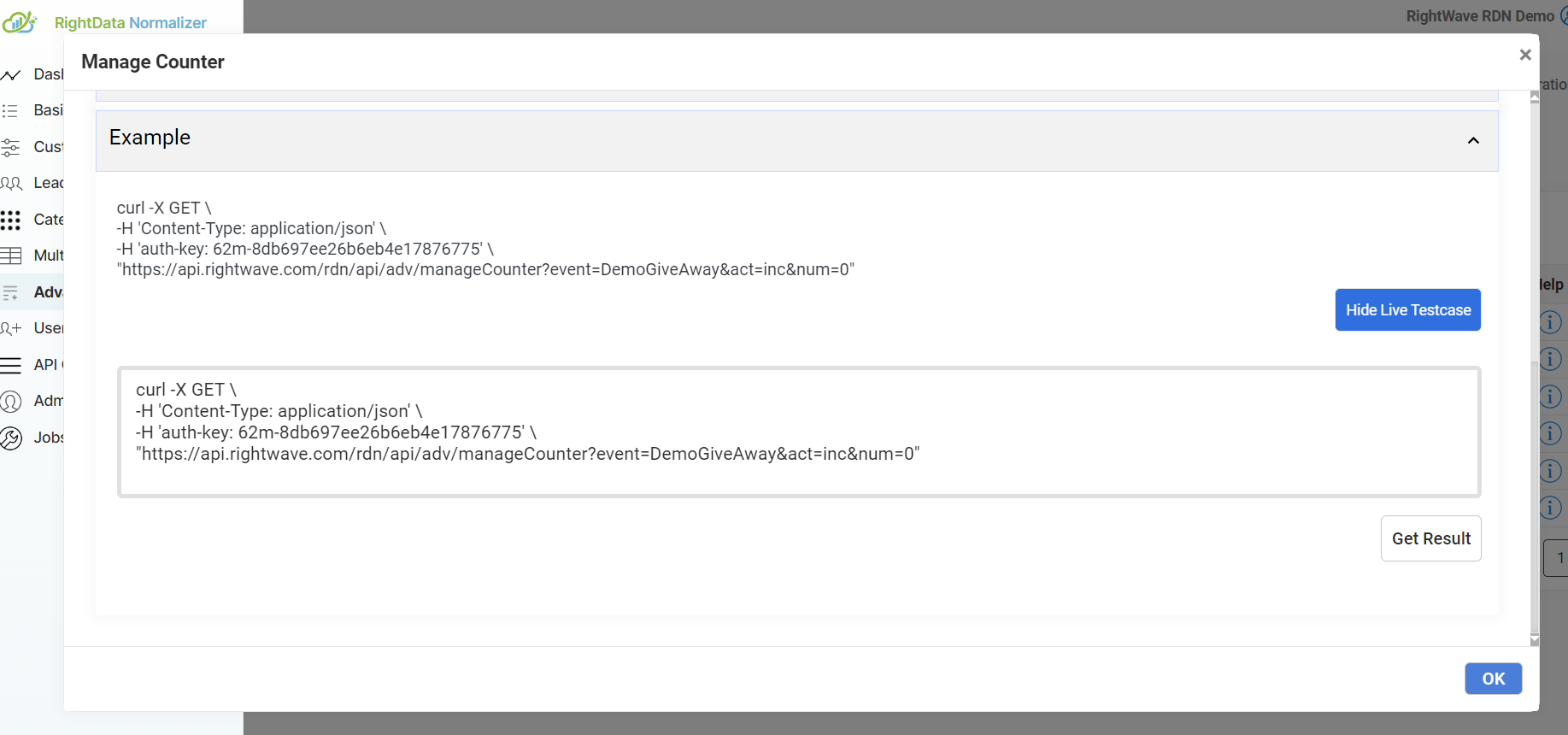
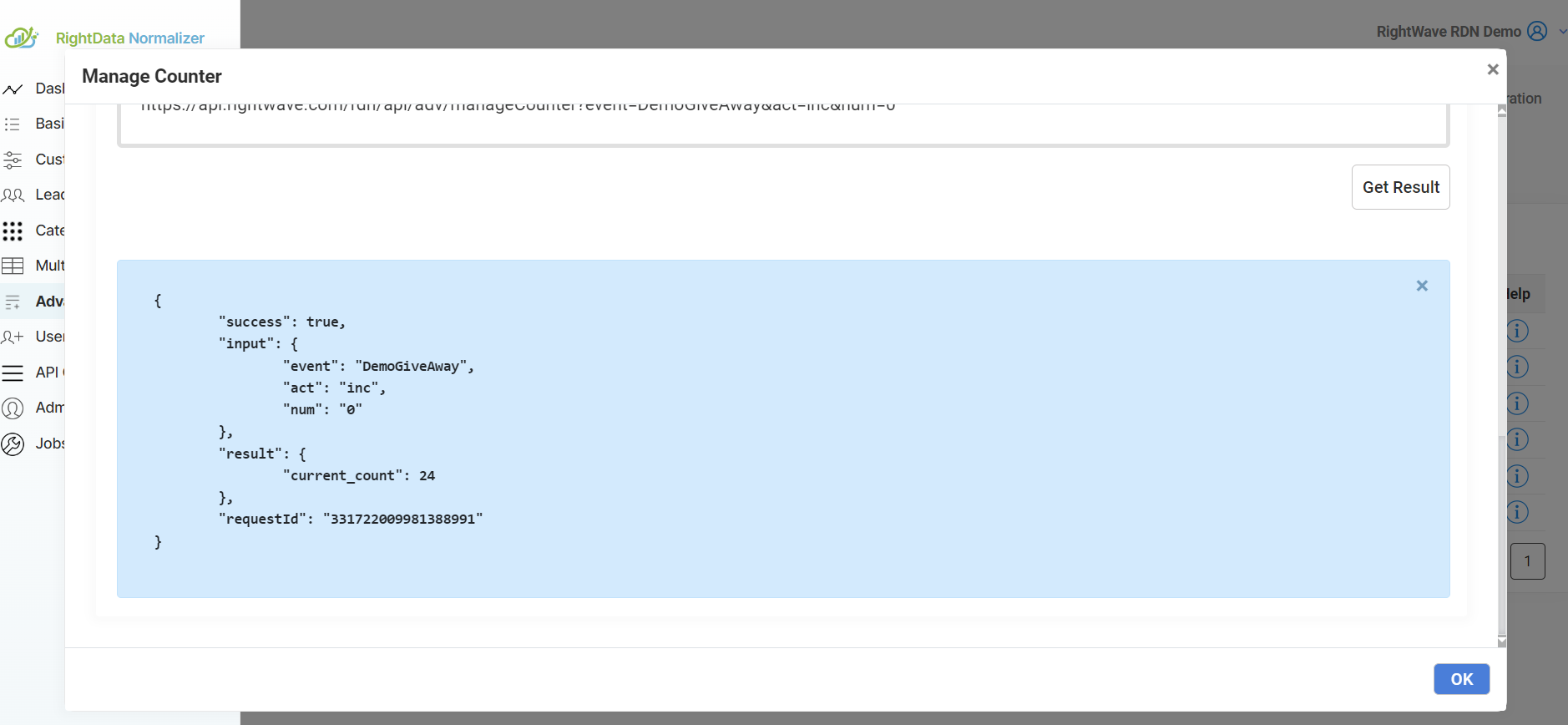
Enter the Event Name you previously configured, then click Get Result to see the API response.
Ajax Integration (Optional)
To dynamically update your landing page based on the registration count, integrate the Manage Counter API into an Ajax call:
$.ajax({
    url: 'https://api.rw001.com/rdn/api/adv/manageCounter',
    method: 'GET',
    data: {
        event: 'DemoGiveAway',  // Event Name
        num: 23,                // Current Count
        act: 'check'            // Action: Check the current count
    },
    success: function(response) {
        if (response.message === "Registration Full") {
            $('#registrationForm').hide();
            $('#eventFullMessage').show();
        }
    }
});
This allows the landing page to update in real time — hiding the registration form and displaying a message when the event is full.
Configuring in Marketo
Service Name: Manage Counter
Service Type: Advanced Service
The request parameter values and Marketo Fields shown are examples. Enter values based on your specific service requirement.
Step 1 — Create a New Webhook
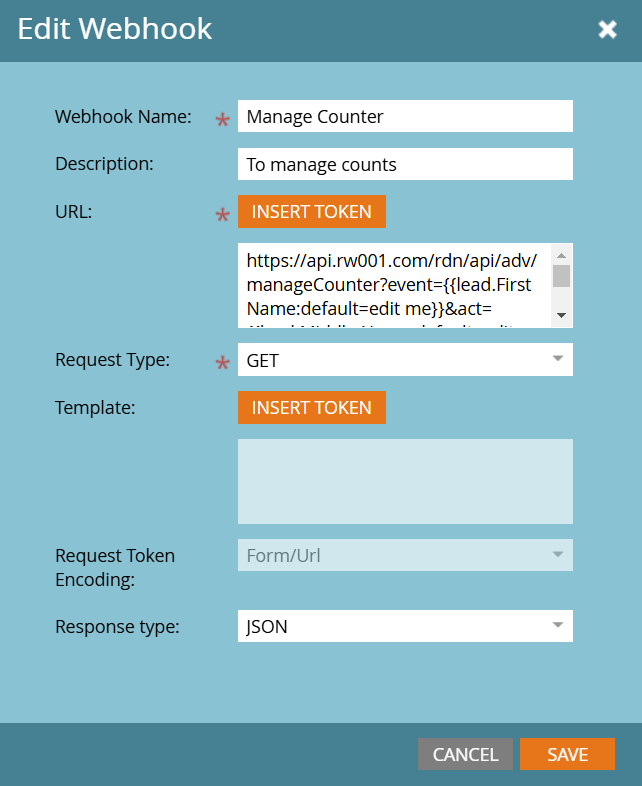
Go to Admin → Webhooks and click New Webhook.
Step 2 — Configure the Webhook
| Field | Value |
|---|---|
| Webhook Name | Manage Counter (or as per requirement) |
| URL | https://api.rw001.com/rdn/api/adv/manageCounter?event={token}&act={token}&num={token} |
| Template | Leave blank |
| Request Token Encoding | None (POST) / uneditable (GET) |
| Response Type | JSON |
| Request Type | GET |
Step 3 — Add Authentication Header
Use the exact same auth-key and Content-Type values when configuring the webhook.
Step 4 — Response Mappings
Map the message response attribute to the appropriate Marketo field.
Use Cases
- Event Registration Limitations: Ensure the event does not exceed the maximum number of attendees.
- Real-time User Feedback: Display a message on the landing page or form when the event reaches its registration limit.
- Efficient Event Management: Control and streamline the registration process for large-scale events.