RDN – HubSpot Integration (Private App)
1. Overview
The RDN – HubSpot Integration allows RDN to connect securely with a HubSpot account using a Private App Access Token.
This integration is designed for HubSpot accounts that:
- Do not support webhook creation
- Do not have Operations Hub Professional or Enterprise
2. Prerequisites
Before proceeding, ensure:
- You have Admin access to the HubSpot account
- You can create Private Apps
- You have access to RDN
3. Creating a Private App in HubSpot
Step 1: Log in to HubSpot
Log in to your HubSpot account.
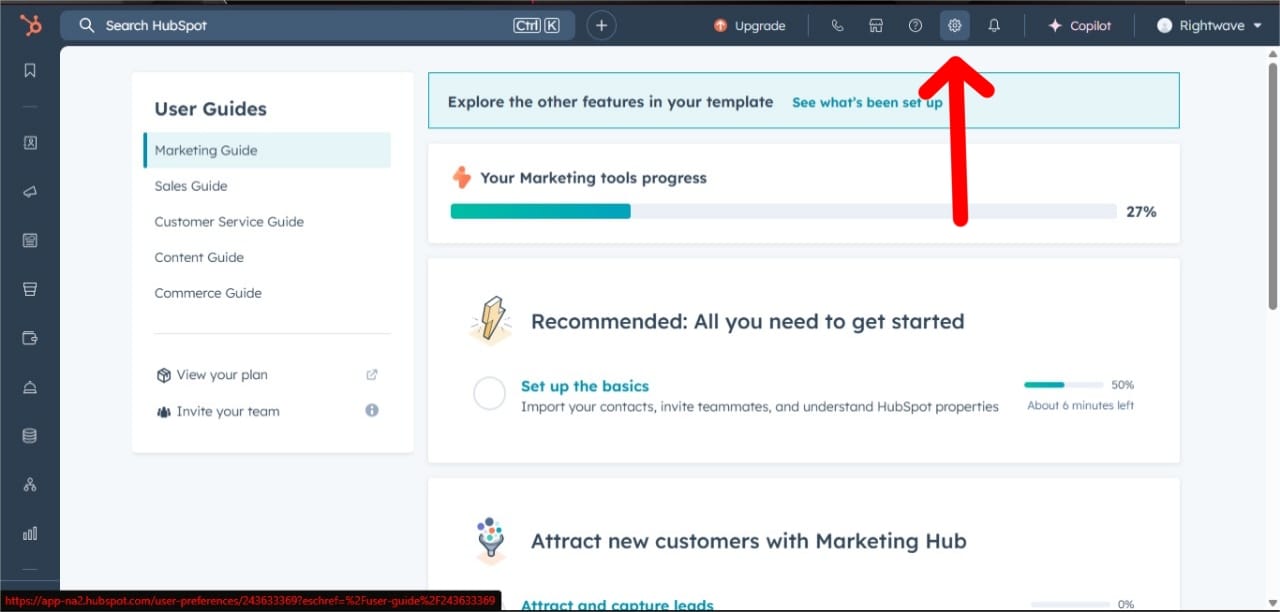
Step 2: Navigate to Private Apps
- Click Settings (⚙️) in the top-right corner
- Go to: Integrations → Private Apps
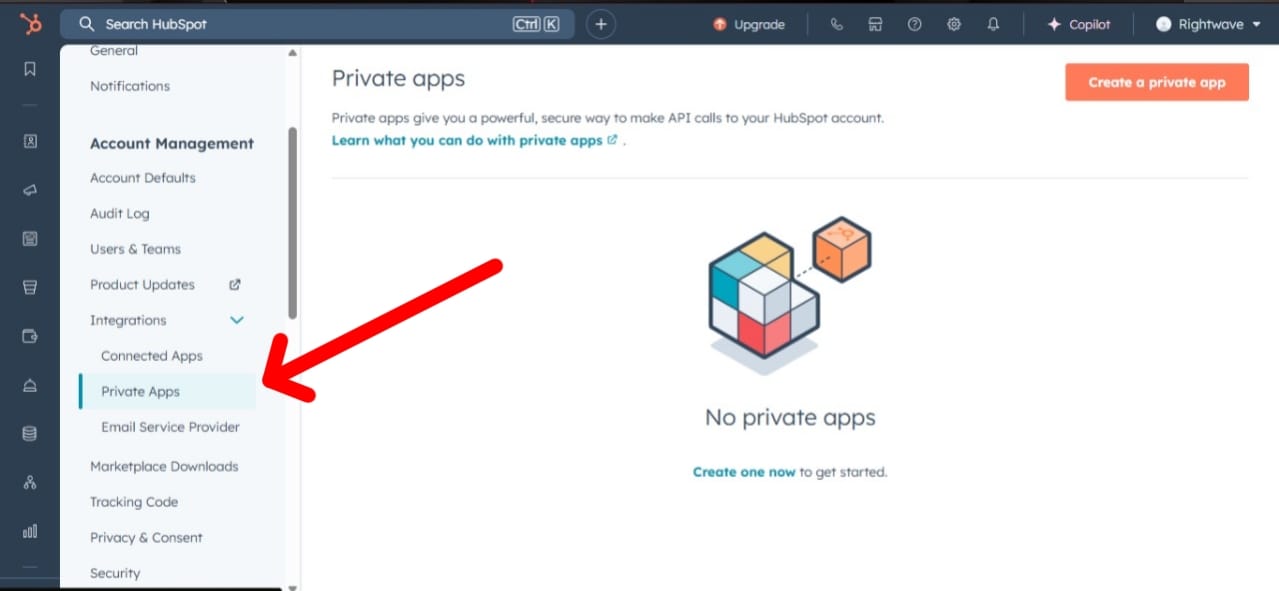
Step 3: Create the App
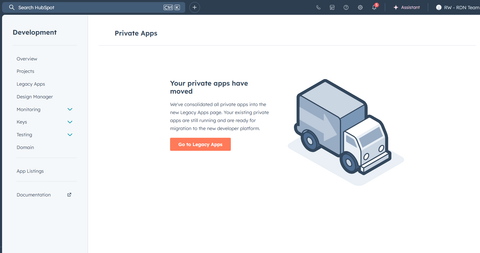
Click Go to Legacy Apps.
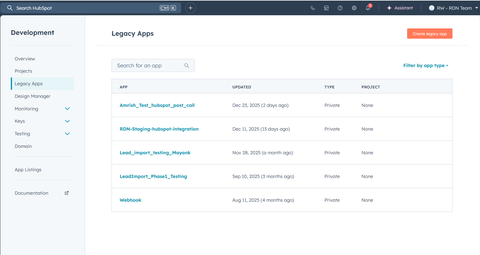
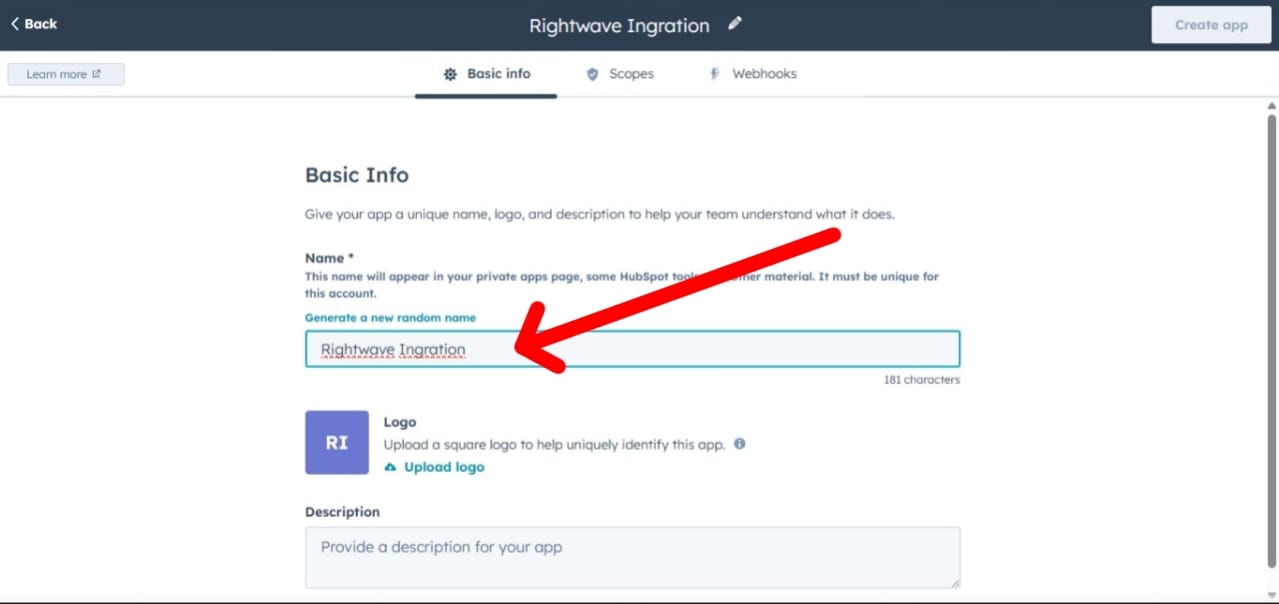
Enter:
- App Name (example:
RDN Integration) - Description (recommended)
4. Required Scopes Configuration
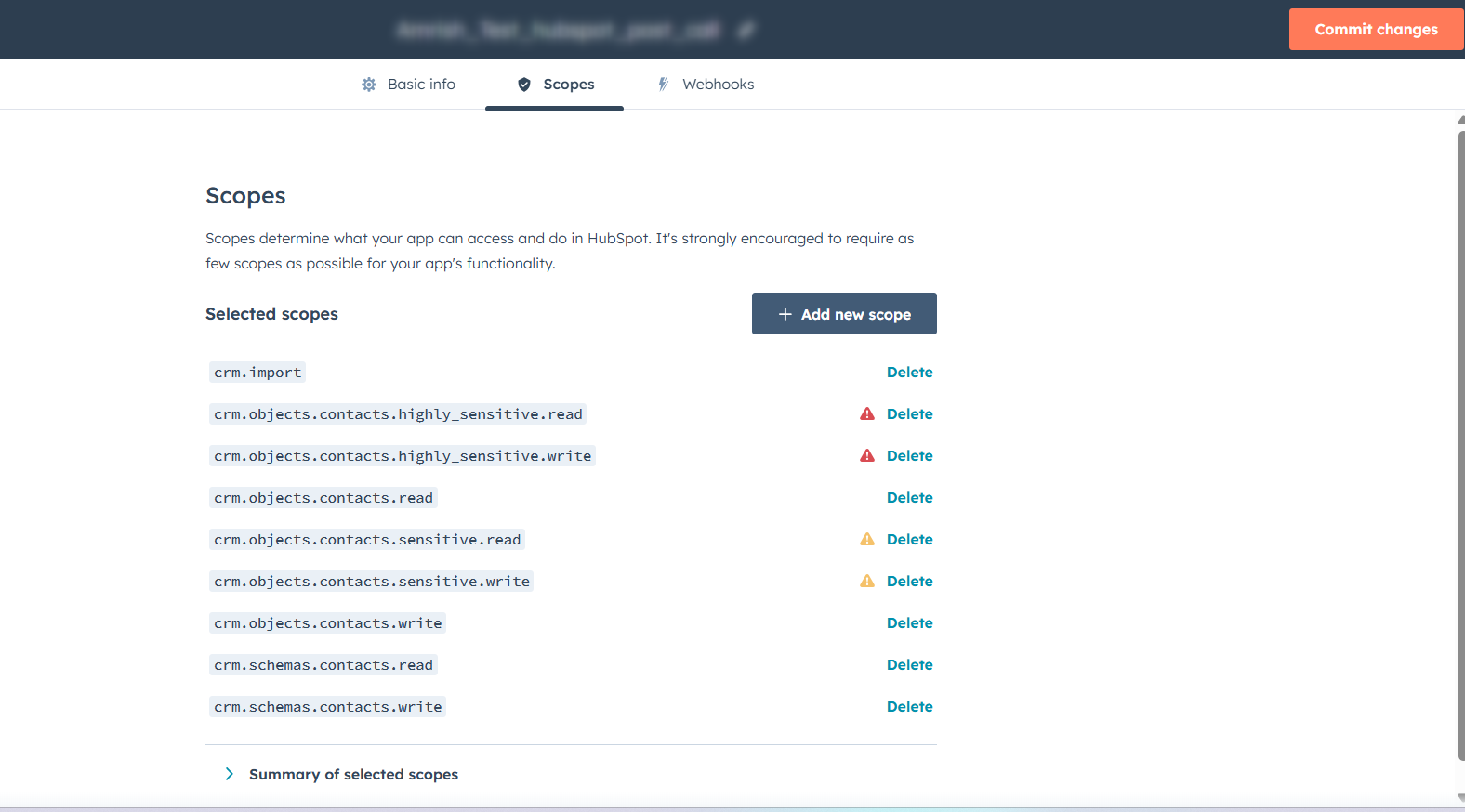
Select only the scopes required for API-based sync.
4.1 Contact Scopes
crm.objects.contacts.readcrm.objects.contacts.write
4.2 Company Scopes
crm.objects.companies.readcrm.objects.companies.write
4.3 Association Scopes
cms.membership.access_groups.write
4.4 List Scopes
crm.lists.readcrm.lists.write
5. Webhook Configuration
Enter the Target URL for the webhook.
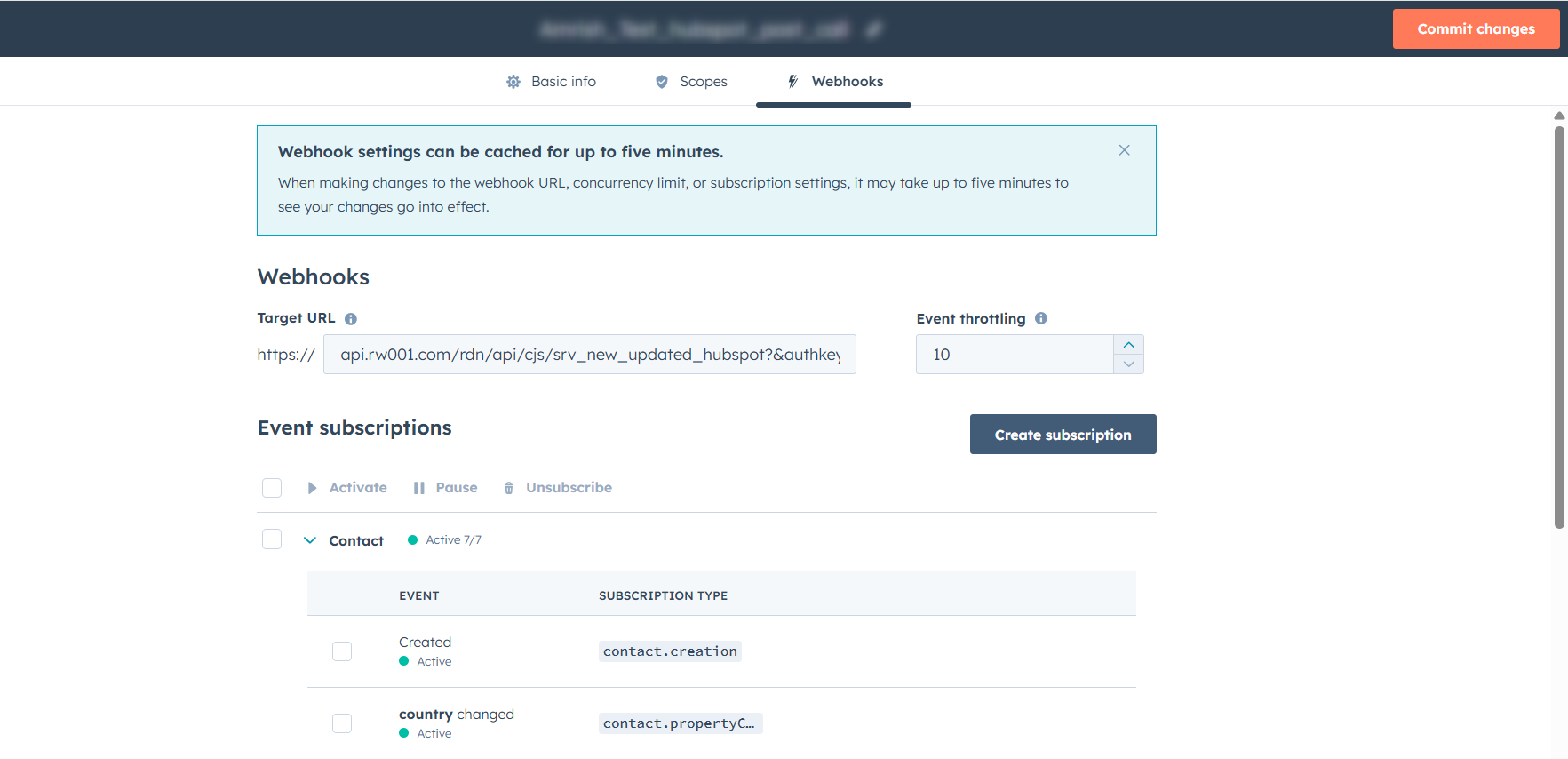
Example URL:
https://api.rw001.com/rdn/api/cjs/srv_new_updated_hubspot?&authkey=xxxxxxxxxxxxxxxxxxxxx
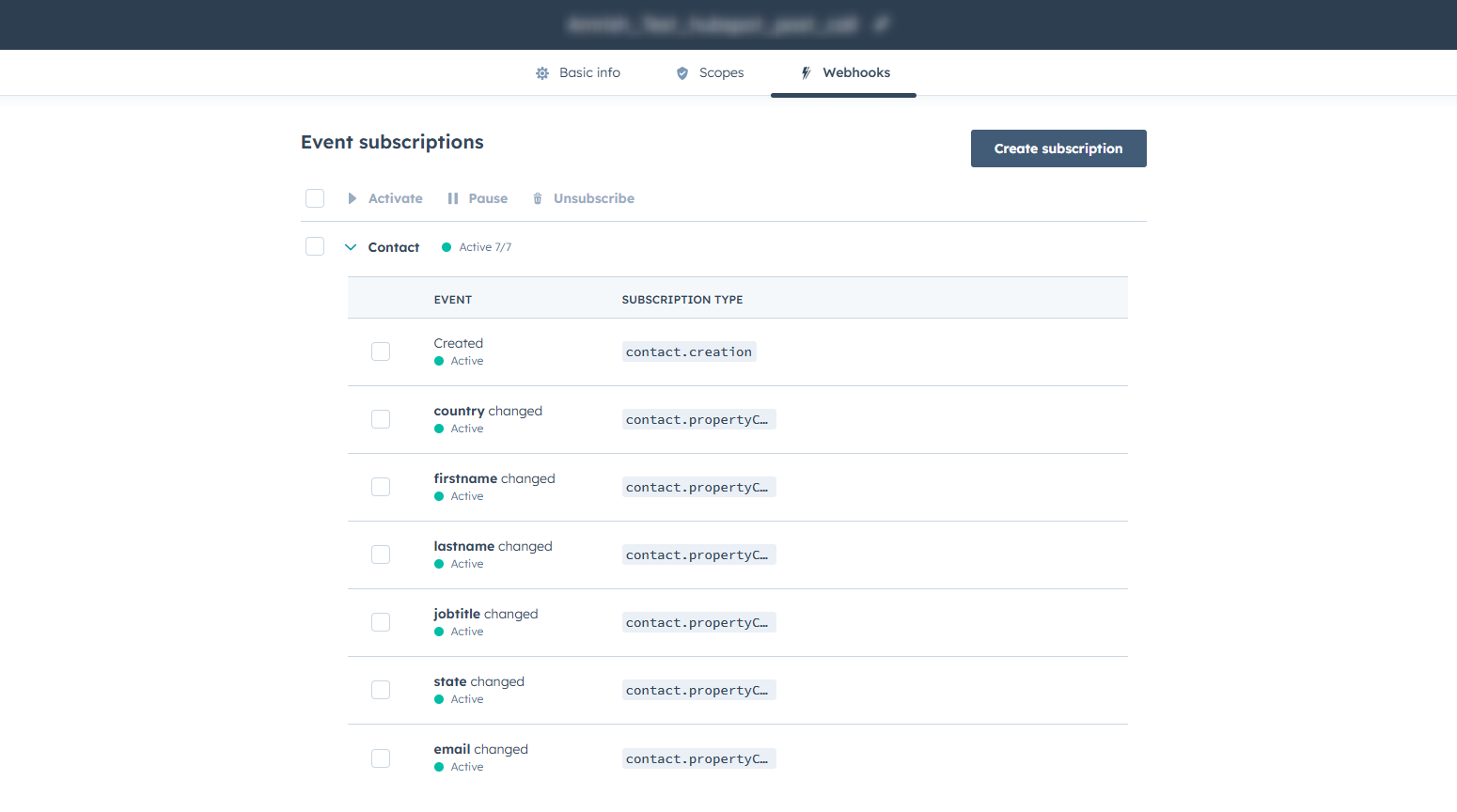
6. Generating the Access Token
- Click Create App
- Open the Auth section of the Private App
- Copy the Access Token
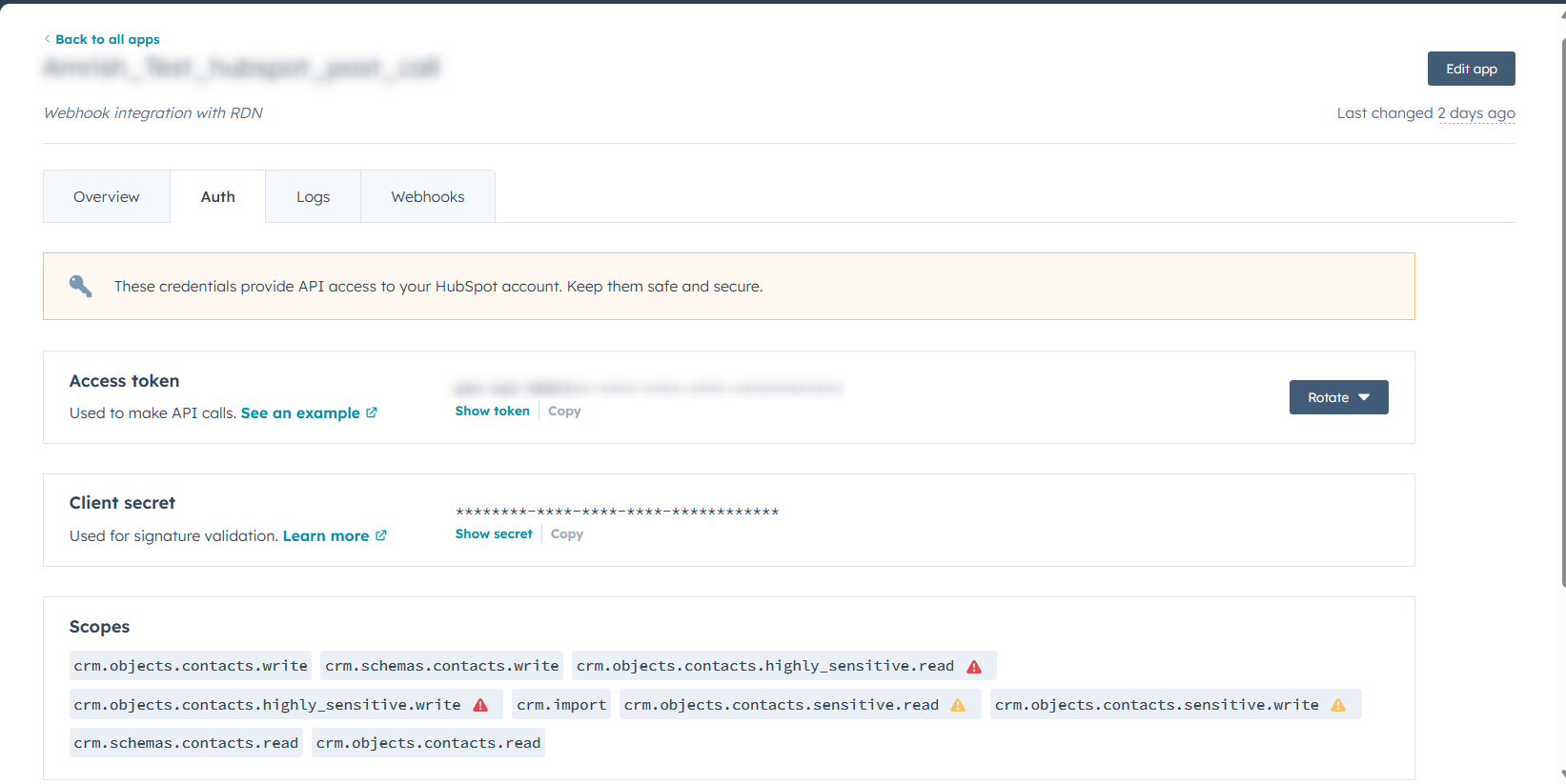
- Review Logs
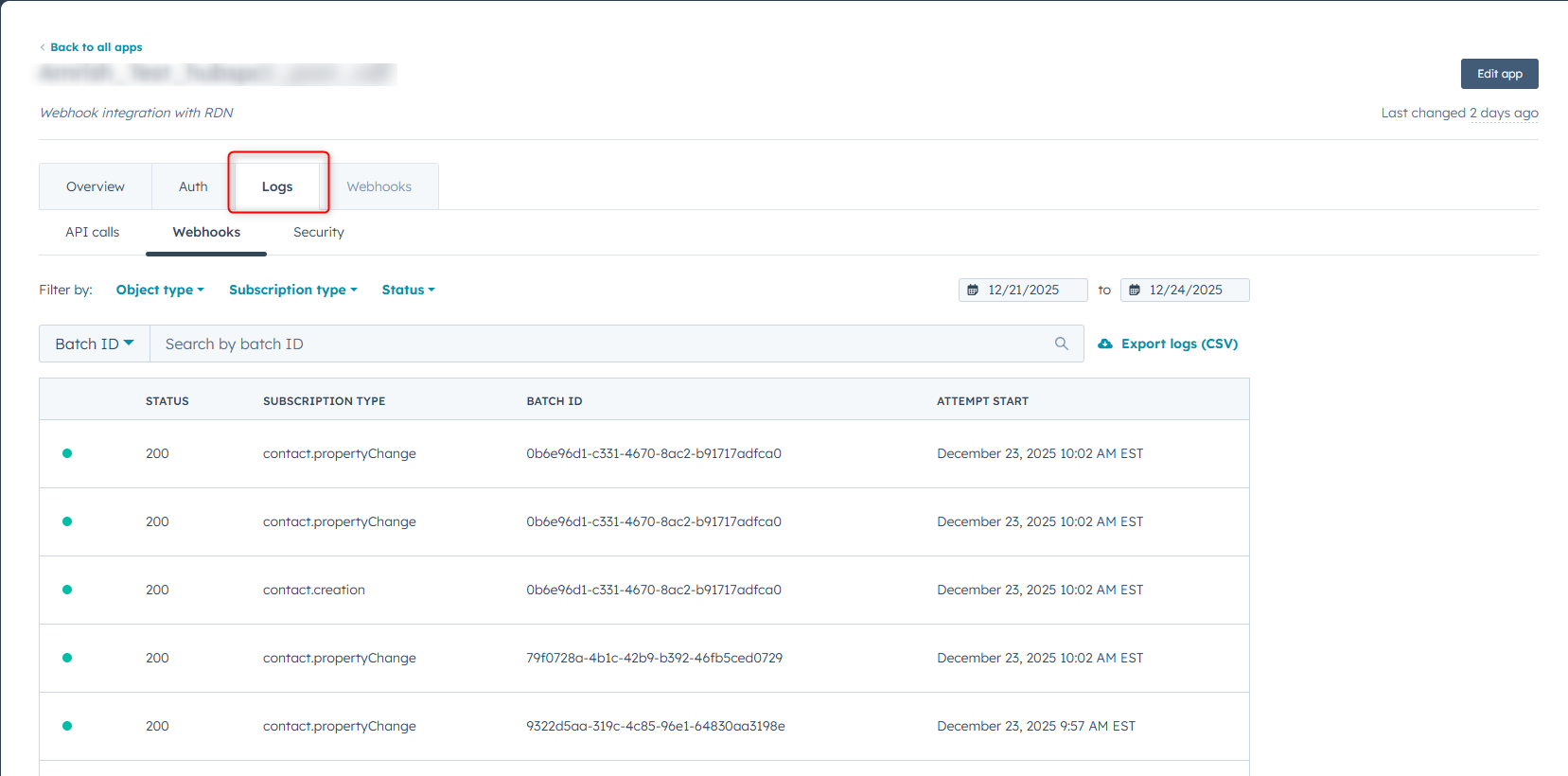
- The token is displayed only once
- Store it securely
- Regenerate if lost or compromised
7. Authenticating HubSpot in RDN
7.1 Authentication Method
- Use the HubSpot Private App Access Token in the RDN service
- This token acts as the authentication key
7.2 Token Validity
The token remains valid until:
- It is manually revoked
- It is regenerated in HubSpot
7.3 Credential Validation
- RDN validates the token using HubSpot APIs
- Successful validation enables data sync features
8. Summary
This integration is optimized for standard HubSpot plans without:
- Operations Hub Professional or Enterprise
RDN ensures reliable and secure data exchange using API-based polling, making it suitable for customers on basic HubSpot subscriptions.
For accounts that support webhooks, consider using the standard HubSpot webhook-based integration for real-time sync instead of polling.