Detailed Metadata Configuration
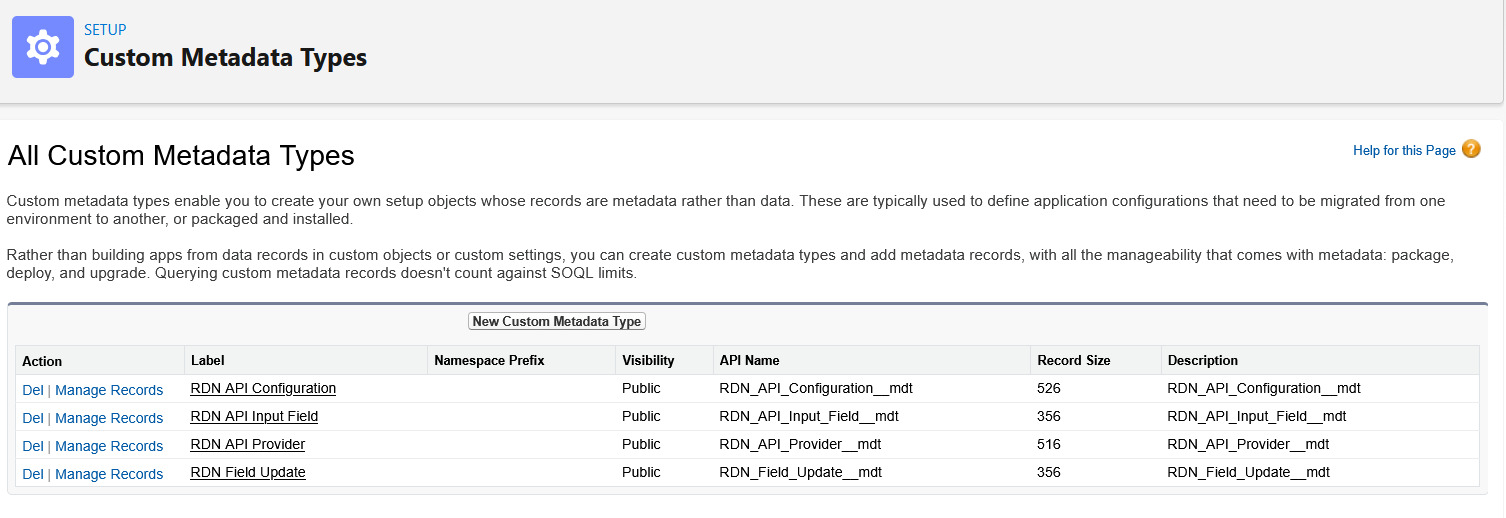
Configure Custom Metadata Types (CMDTs) to customize how the integration works without changing code.
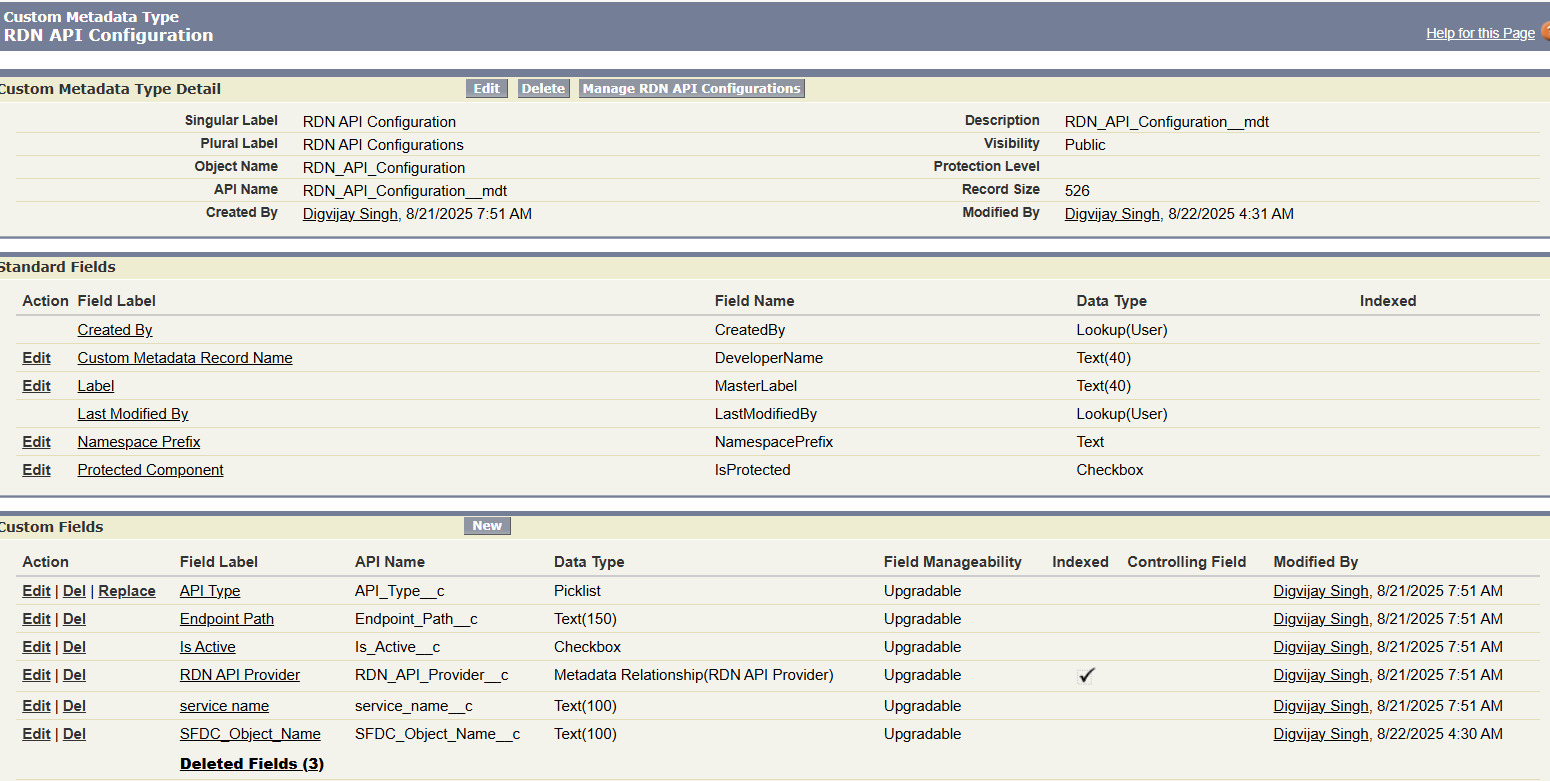
1. RDN API Configuration
Purpose: Defines which Salesforce object to monitor and how API calls should be triggered.
Configuration Fields
| Field Name | Description | Type |
|---|---|---|
| Service Name | Name of the RDN service | Text |
| API Type | Picklist: Basic, Categorization, Lookup, Custom | Picklist |
| Endpoint Path | API endpoint (e.g., /addScore, /categorize) | Text |
| SFDC Object Name | Object to monitor (Lead, Contact, etc.) | Text |
| Is Active? | Enable/disable the service | Checkbox |
| RDN API Provider | Reference to RDN_API_Provider__mdt | Lookup |
| Run in Batch | Run when called from batch execution | Checkbox |
Lead Configuration Screen
Contact Configuration Screen
2. RDN API Input Field
Purpose: Maps Salesforce fields to API request parameters. You'll create one record per field you want to send to the RDN API.
Configuration Fields
| Field Name | Description |
|---|---|
| API Config | Reference to RDN_API_Configuration__mdt |
| SF Field Name | API name of the Salesforce field (e.g., Title, BillingCountry) |
| Request Key | Key in the JSON payload sent to RDN API (e.g., job_title, country) |
Setup Example
For a Lead integration mapping Job Title:
- API Config: Lead_Enrichment
- SF Field Name: Title
- Request Key: job_title
Configuration Screen
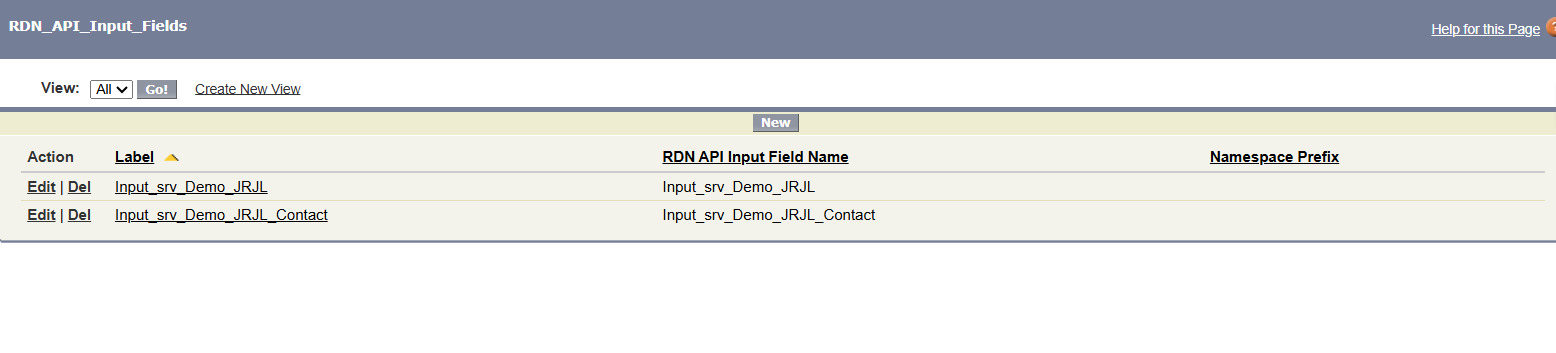
Create multiple input field records for each Salesforce field you want to include in API requests.
3. RDN API Provider
Purpose: Stores API endpoint details, authentication tokens, and provider information.
Configuration Fields
| Field Name | Description |
|---|---|
| Base URL | Domain/endpoint of RDN API (e.g., https://api.rdn.io) |
| Auth Token | Token for API authentication in headers |
| Get Notified | Email address for exception notifications |
| Is Active | Flag to enable/disable the provider |
Setup Example
Base URL: https://api.rdn.io
Auth Token: [YOUR_RDN_API_TOKEN]
Get Notified: integration-alerts@company.com
Is Active: ✓ Checked
Configuration Screen
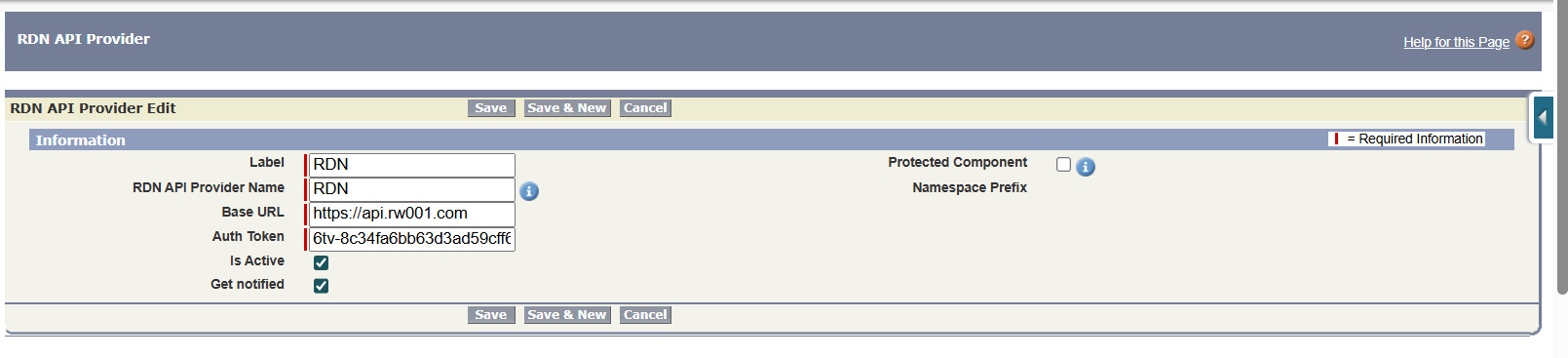
Keep your Auth Token secure! Never share it in emails or commit it to version control.
4. RDN Field Update
Purpose: Maps API response fields back to Salesforce record fields. Create one record per field you want to populate from API responses.
Configuration Fields
| Field Name | Description |
|---|---|
| API Config | Reference to RDN_API_Configuration__mdt |
| SF Field Name | API name of Salesforce field to update (e.g., Job_Role__c) |
| Request Key | Key in API response JSON (e.g., job_role_category) |
Setup Example
For mapping job role categorization:
- API Config: Lead_Enrichment
- SF Field Name: Job_Role__c
- Request Key: job_role_category
Configuration Screen

The "Request Key" should match exactly what the RDN API returns in its JSON response.
Configuration Checklist
Before moving forward, verify you have:
- Created RDN API Provider record with valid token and endpoint
- Created at least one RDN API Configuration record
- Created RDN API Input Field records for source Salesforce fields
- Created RDN Field Update records for destination Salesforce fields
- All records marked as Active (Is_Active__c = true)
- Tested API connectivity with a test call
Next Steps
- Implement Triggers - Add triggers to your Salesforce objects
- Allow Remote Sites - Configure Salesforce security settings