Standard Lookup
Overview
The Standard Lookup feature in RDN provides predefined lookup services that cater to common data standardization needs. These lookups are designed to simplify everyday tasks such as validating and normalizing key information like Country, State, and Phone Number data.
With Standard Lookups, users can easily compare values across one or multiple columns, ensuring data consistency and accuracy. While users can view and access the lookup data, modifying existing columns or their associated values is not allowed. However, users can add new values to the lookup — these added values remain exclusive to their account, ensuring customization while maintaining overall consistency.
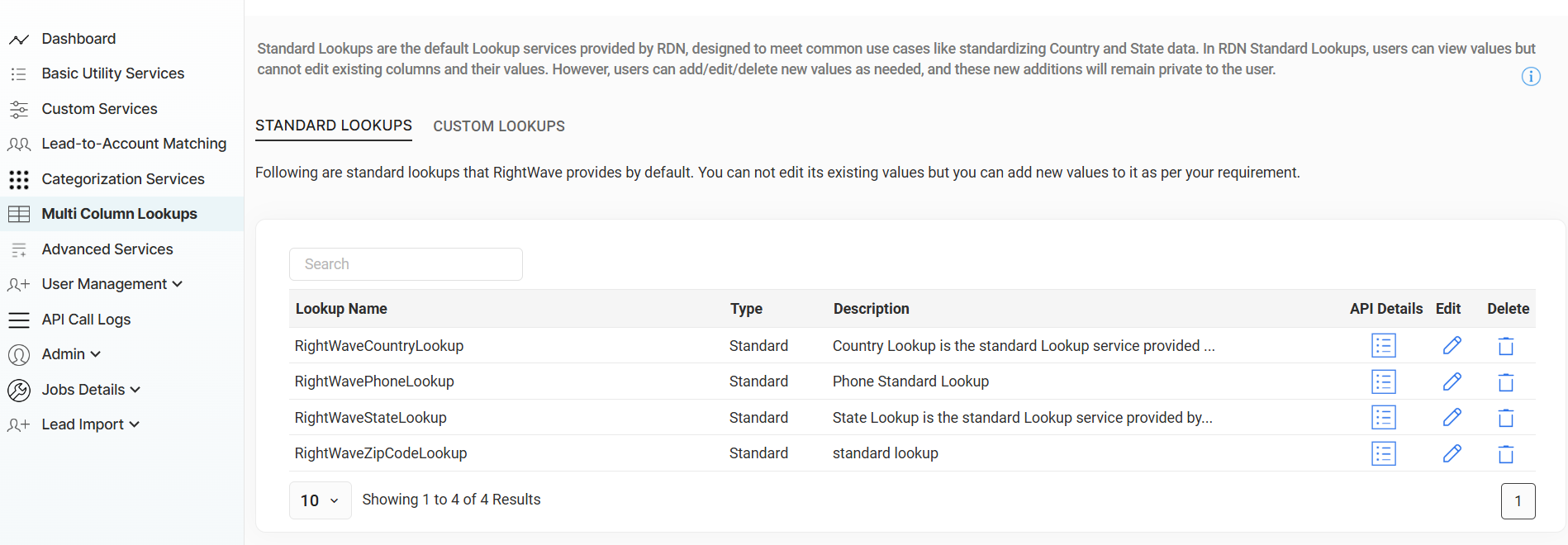
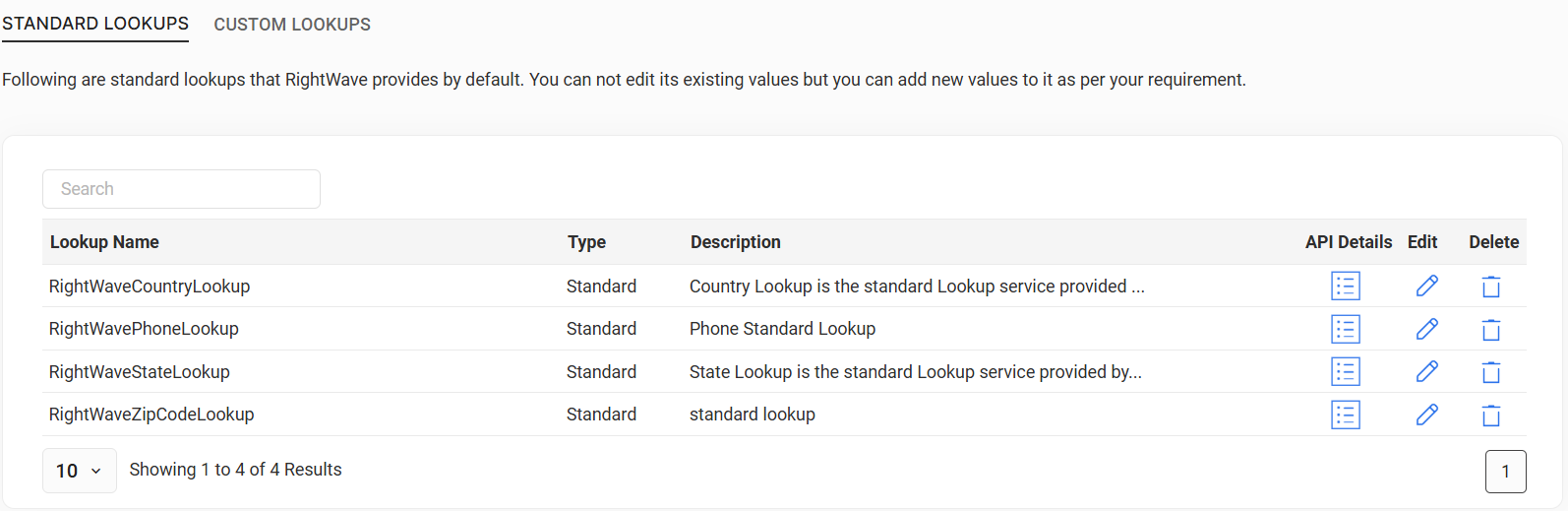
RDN offers the following Standard Lookup services:
- RightWaveCountryLookup — Standardizes country names, codes, and related data.
- RightWavePhoneLookup — Validates and standardizes phone numbers based on country codes.
- RightWaveStateLookup — Provides state information based on state names.
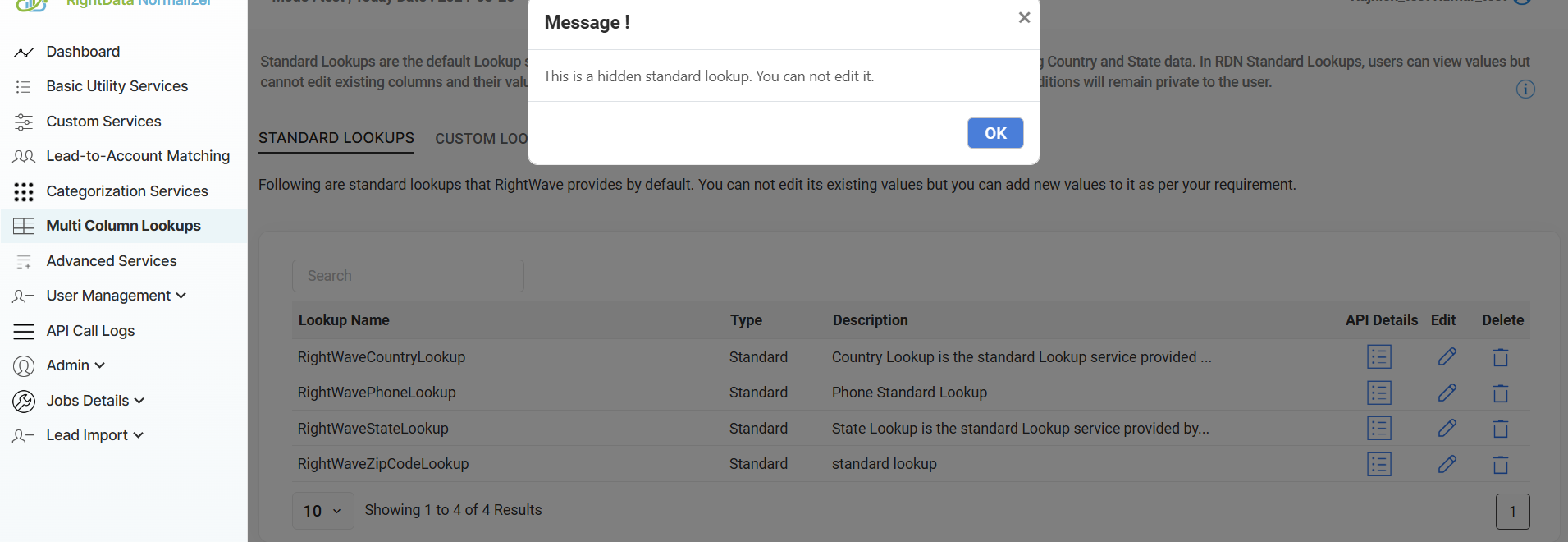
- RightWaveZipCodeLookup (Hidden Lookup) — Offers zip code and location-related data.
Key Features
- View and Compare Data: View lookup values and compare them across columns for consistency.
- Add Custom Values: While you cannot edit existing lookup data, you can add new values to suit your needs.
- Data Integrity: Standard Lookups maintain a consistent structure, ensuring your data remains accurate and reliable.
- Predefined Data: Use lookups already set up for commonly used data — like countries and states — saving time and effort.
Use Cases
- Data Standardization: Ensuring that country, state, and phone number data is uniform across all records.
- Address Validation: Verifying and standardizing locations such as cities, states, and zip codes for accurate address data.
- Phone Number Validation: Ensuring phone numbers are correctly formatted according to their country code.
Data Insertion and Integration
Users can insert new data into Standard Lookup services in two ways:
- ✍️ Manual Entry
- 📂 Bulk CSV Upload
Add new entries to the lookup directly, one record at a time.
Import data in bulk via CSV files, making it easier to update multiple values at once.
Additionally, users can integrate the lookup services into their systems via the API or utilize JavaScript functions for more flexibility in custom workflows.
API Details
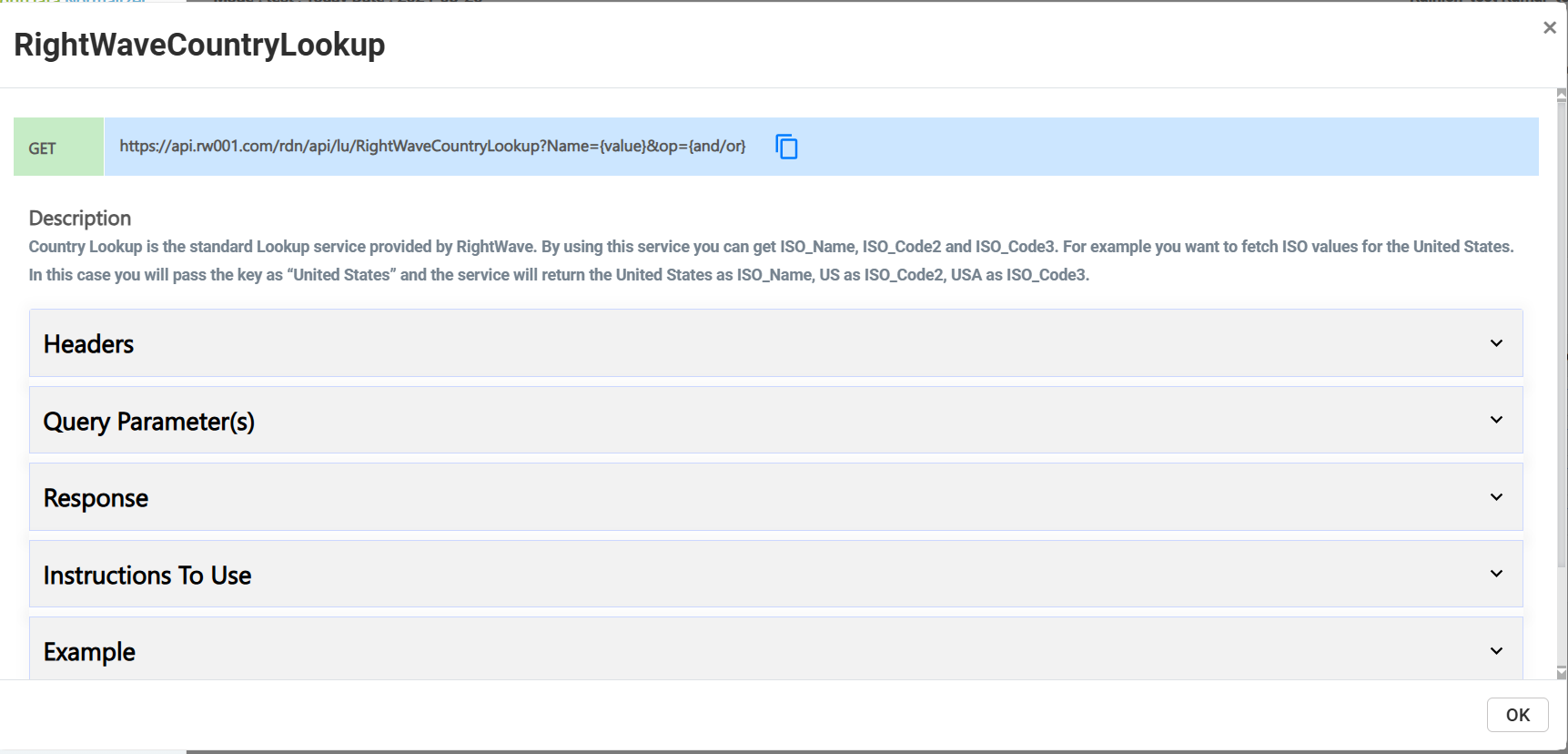
To access a Standard Lookup service via API, click the "API Details" button on the lookup.
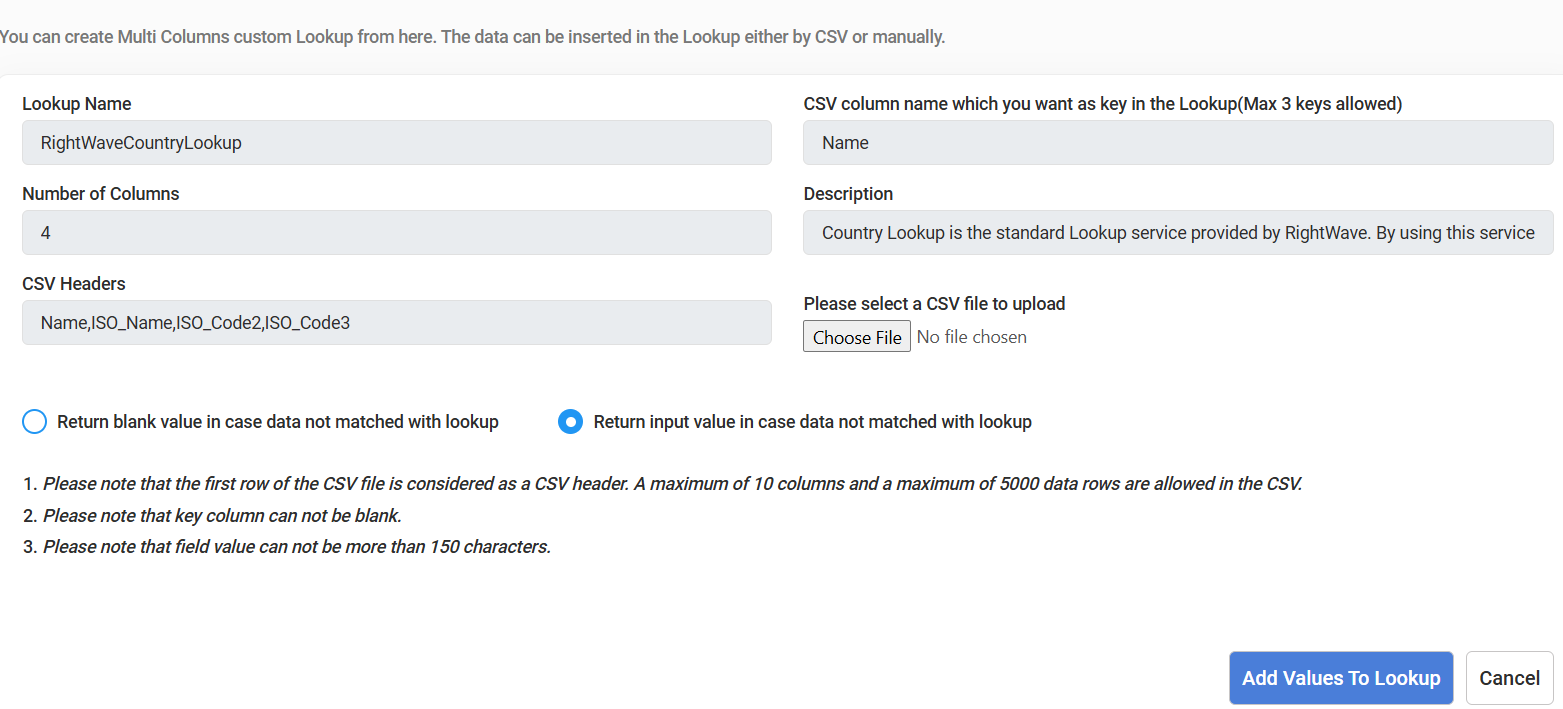
The API Details panel contains the following sections:
Headers
Users can obtain the auth-key and Content-Type values from the Headers section.
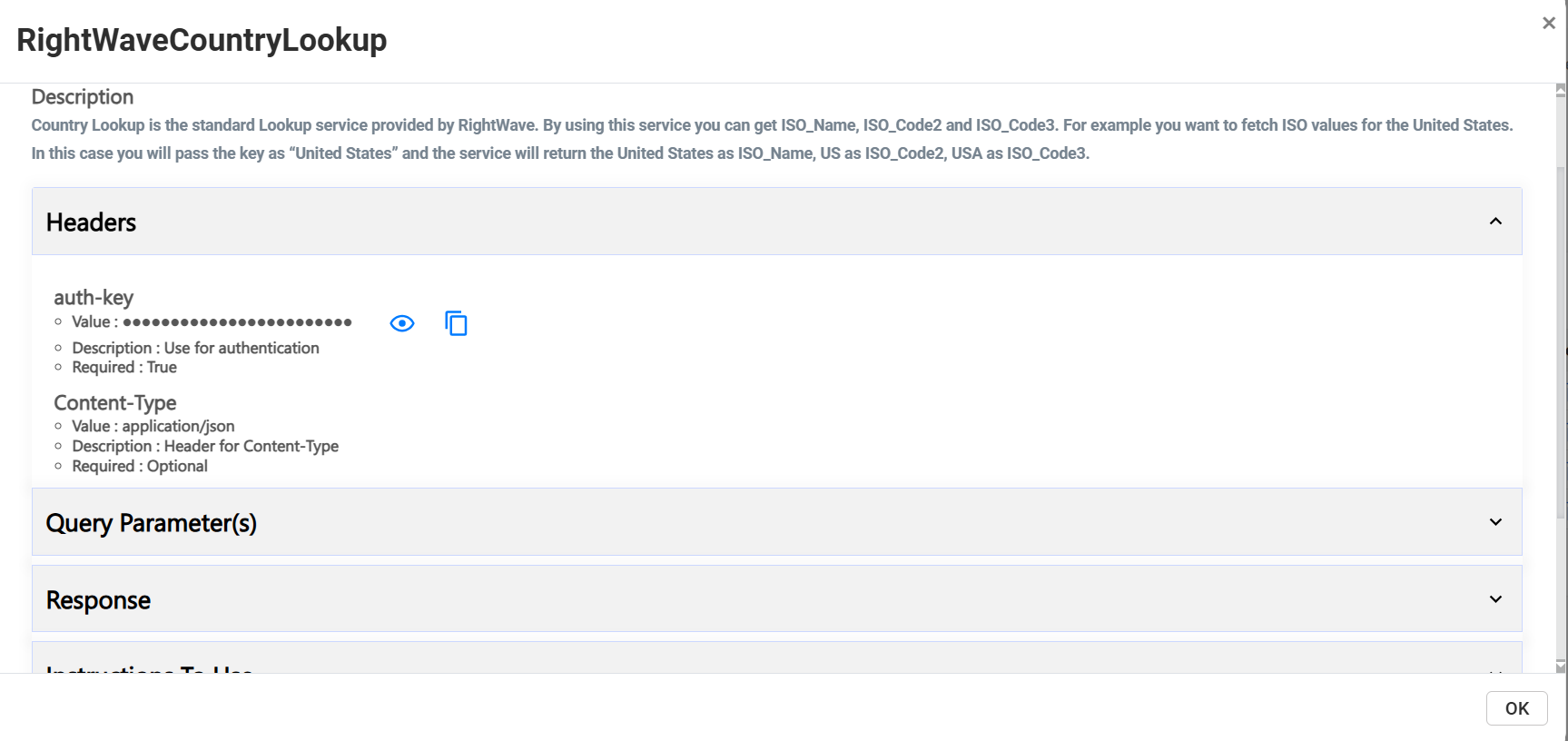
Query Parameters
Includes all parameter information required to build your API request.
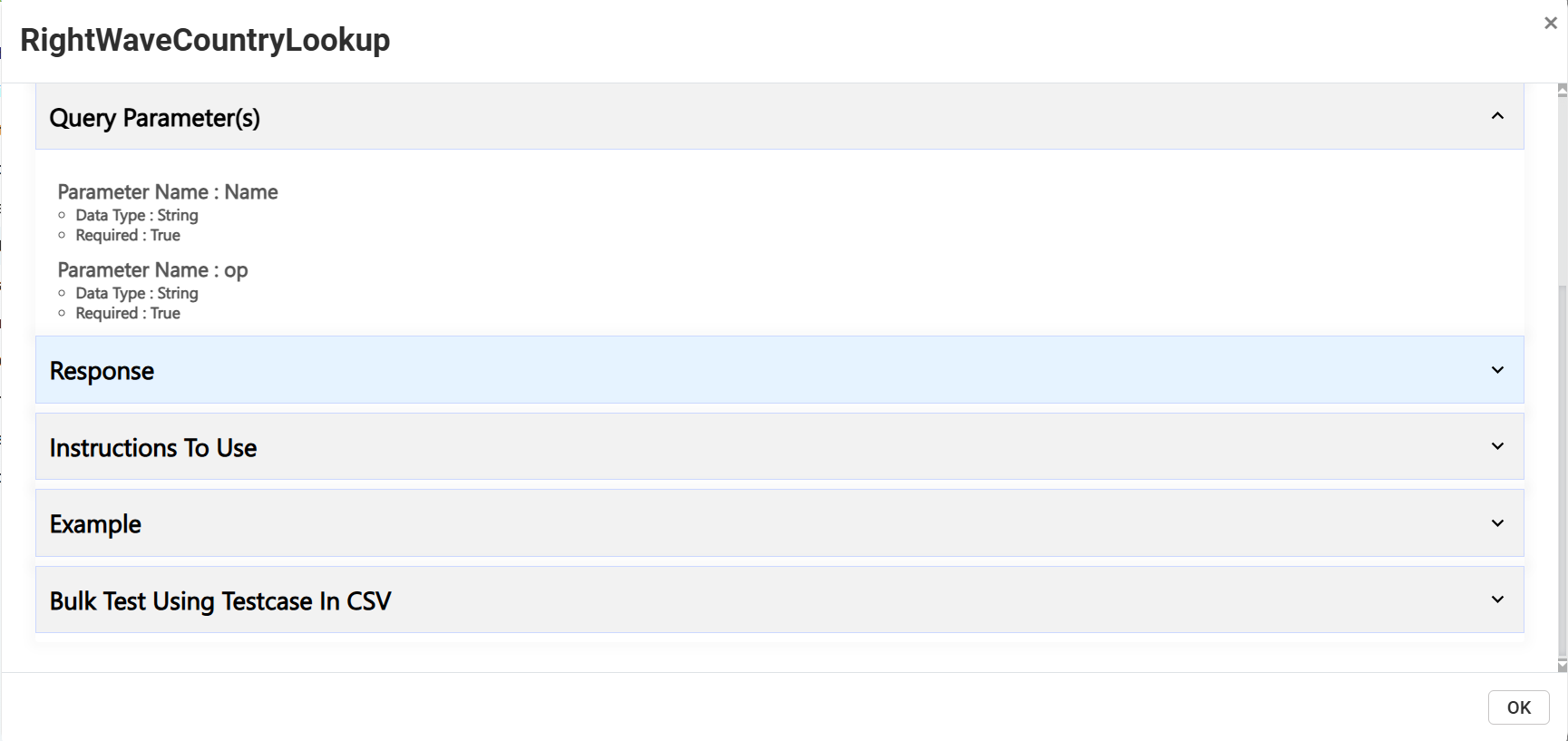
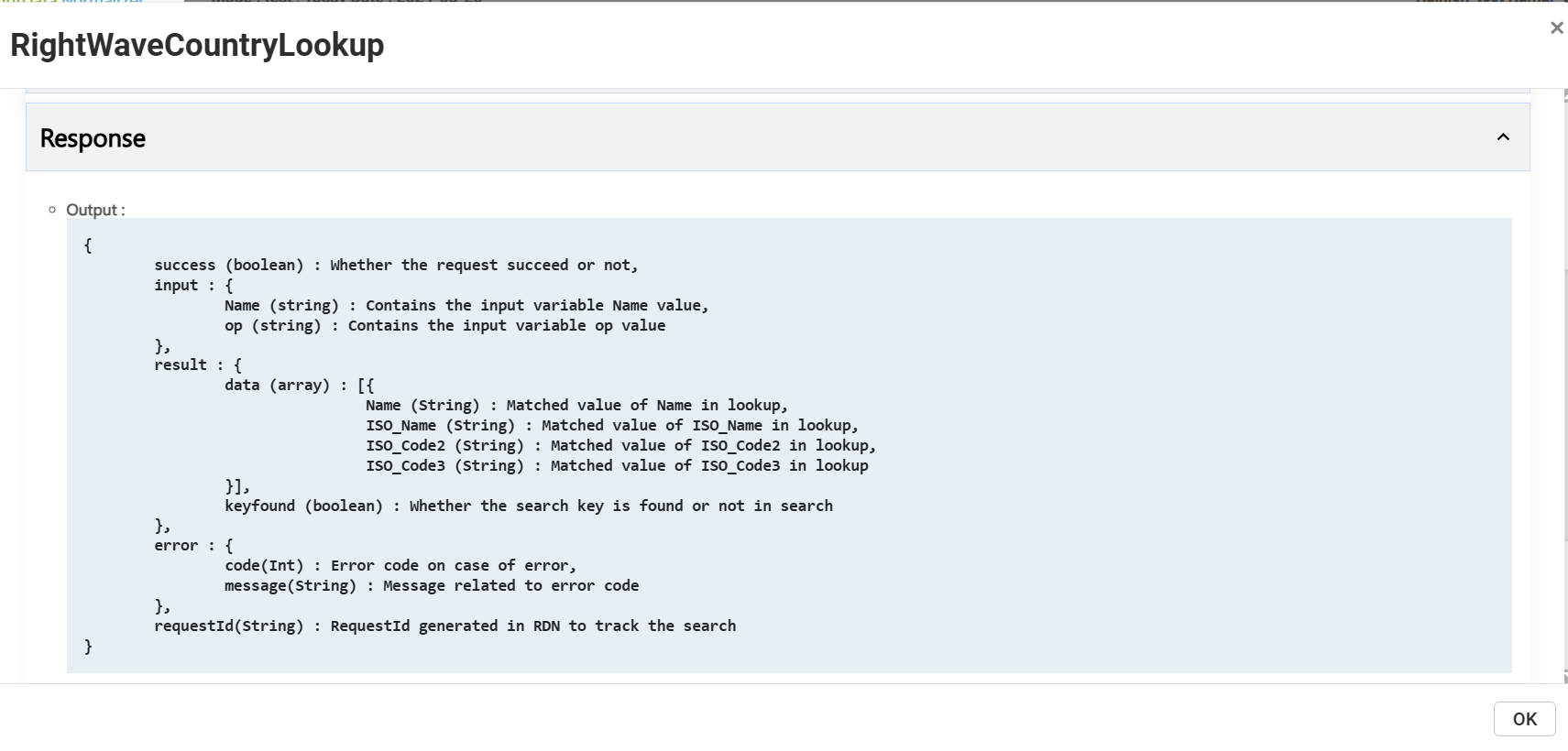
Response
Shows the expected response format returned by the API.
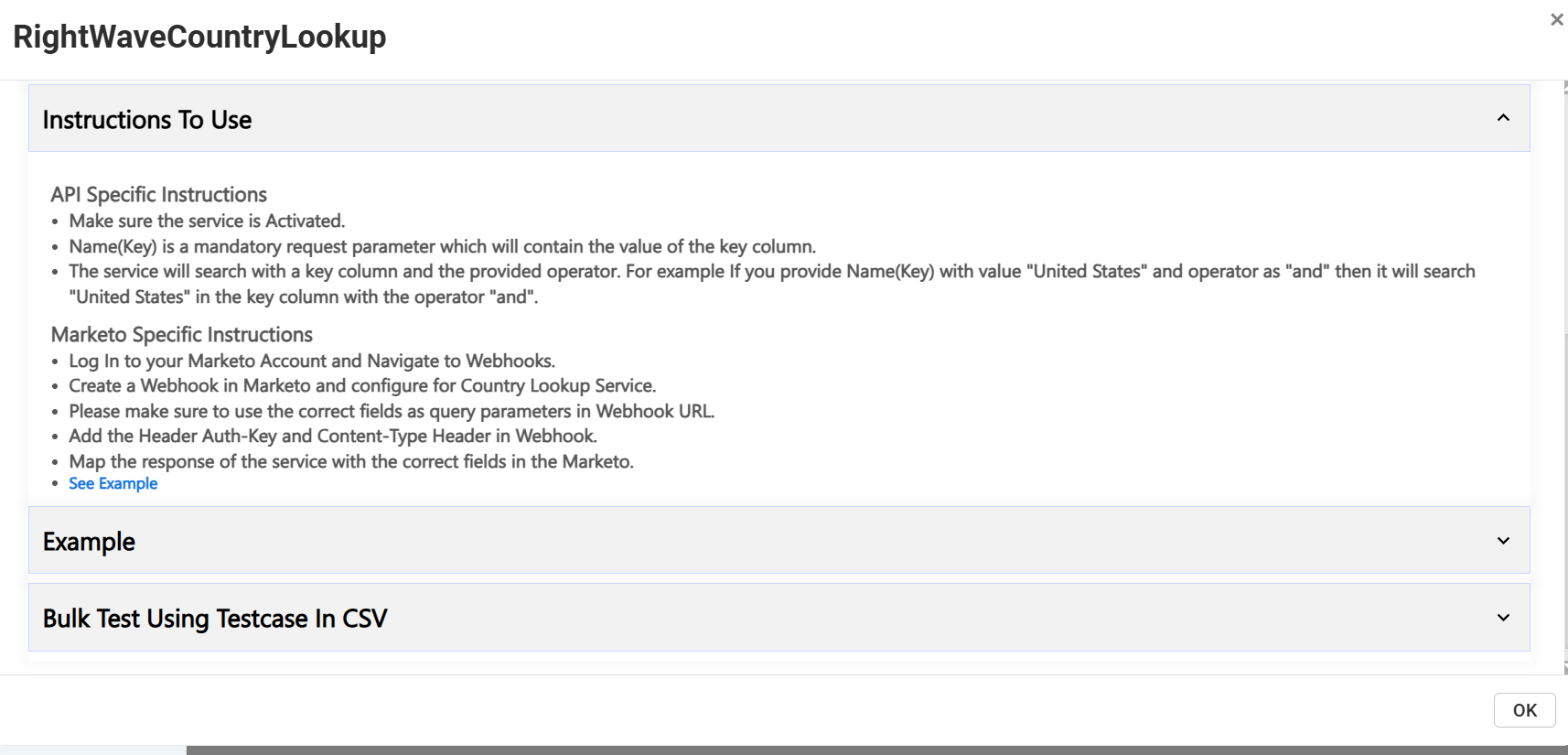
Instructions to Use
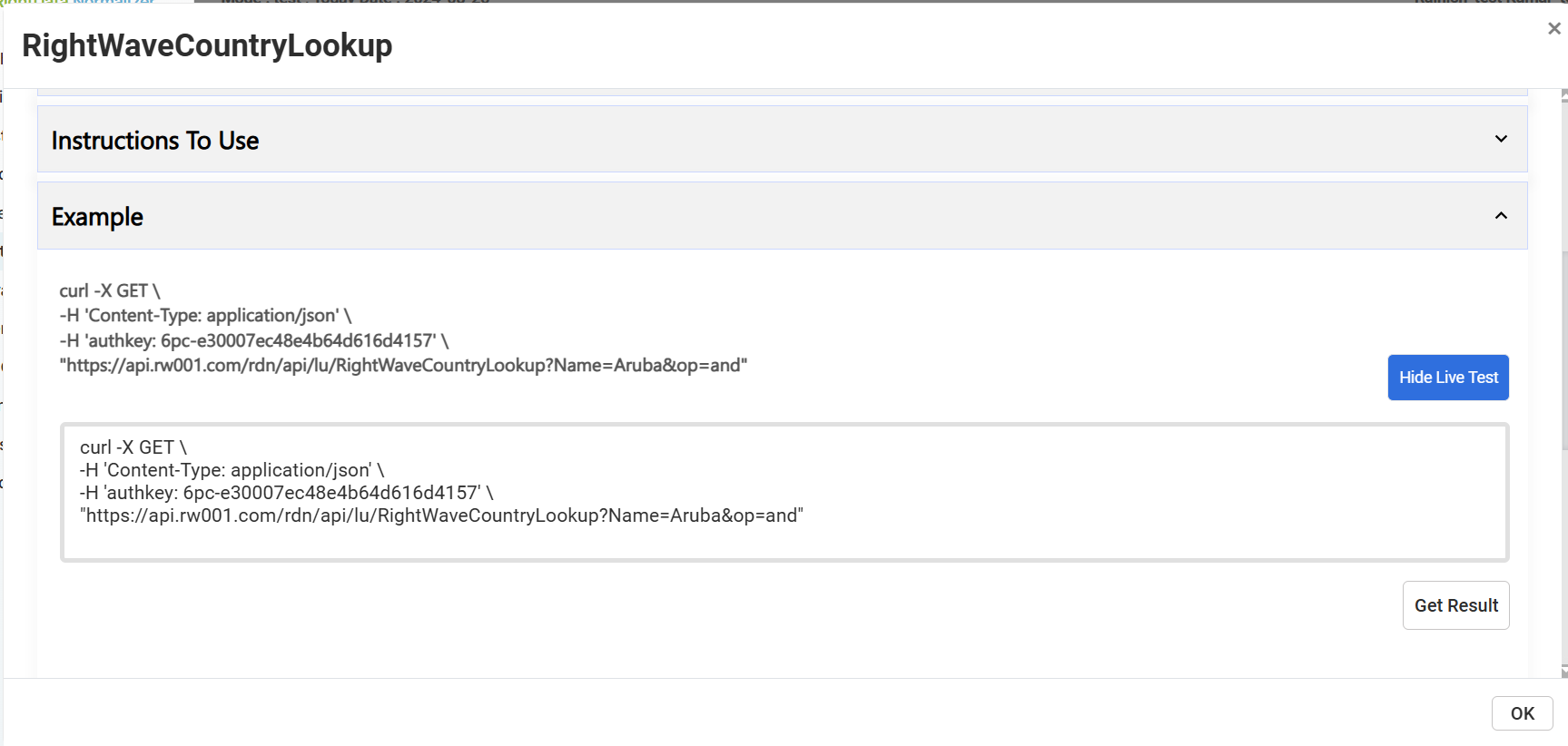
Example
Run a live example by clicking the "Show Live Testcase" button.
Managing Lookup Data
Edit
Users can add new values via CSV upload or manually.
Users cannot add new data to RightWaveZipCodeLookup as it is a hidden lookup.
Country Lookup List
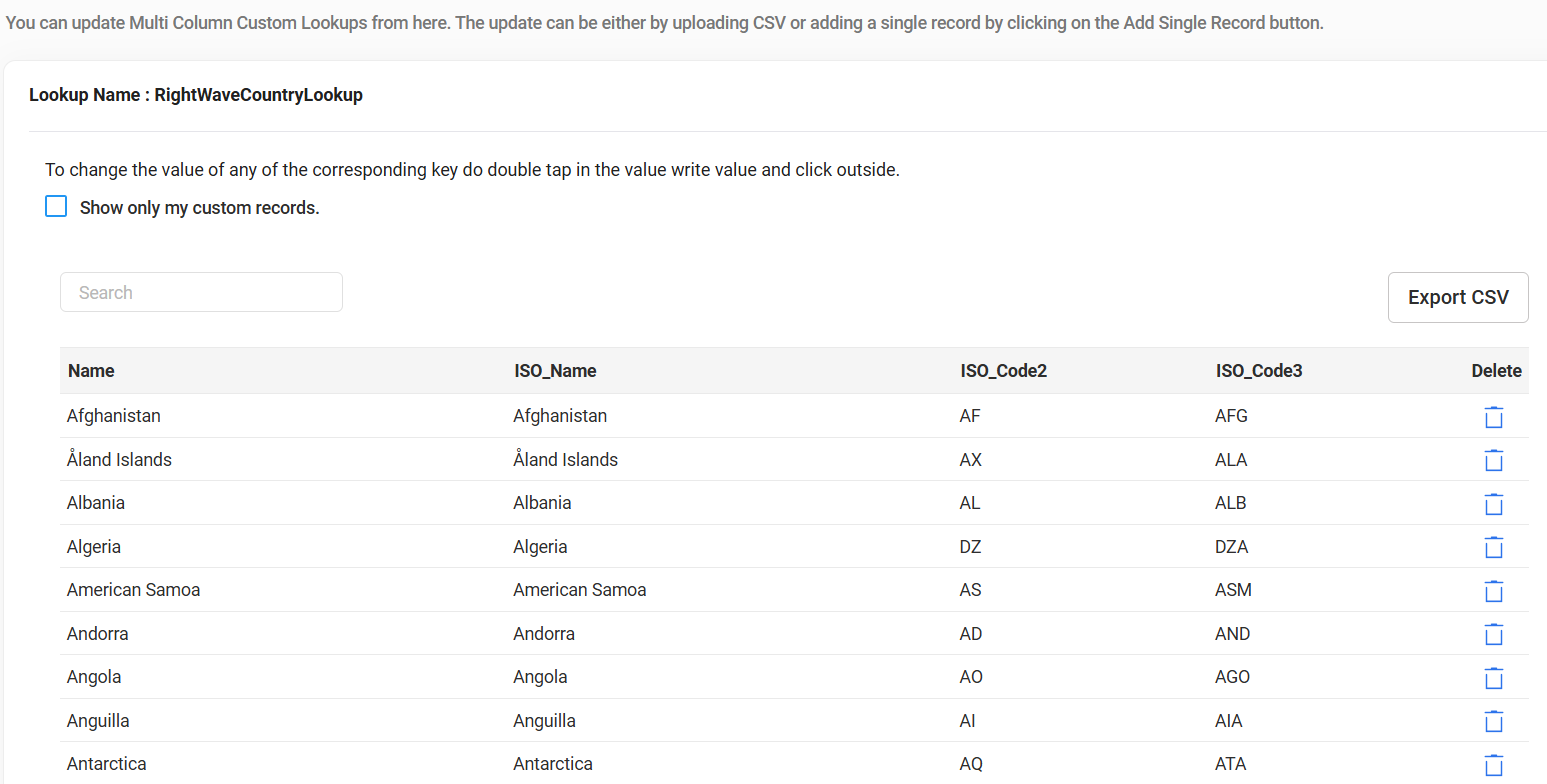
After clicking the edit option, the full list of RightWaveCountryLookup records is displayed:
Delete
Standard Lookup services cannot be deleted by users.
Show Only My Custom Records
Selecting the "Show only my custom records" checkbox filters the view to display only the custom lookups created by the user.
Export CSV
Click the "Export CSV" button to export the lookup data in CSV format.
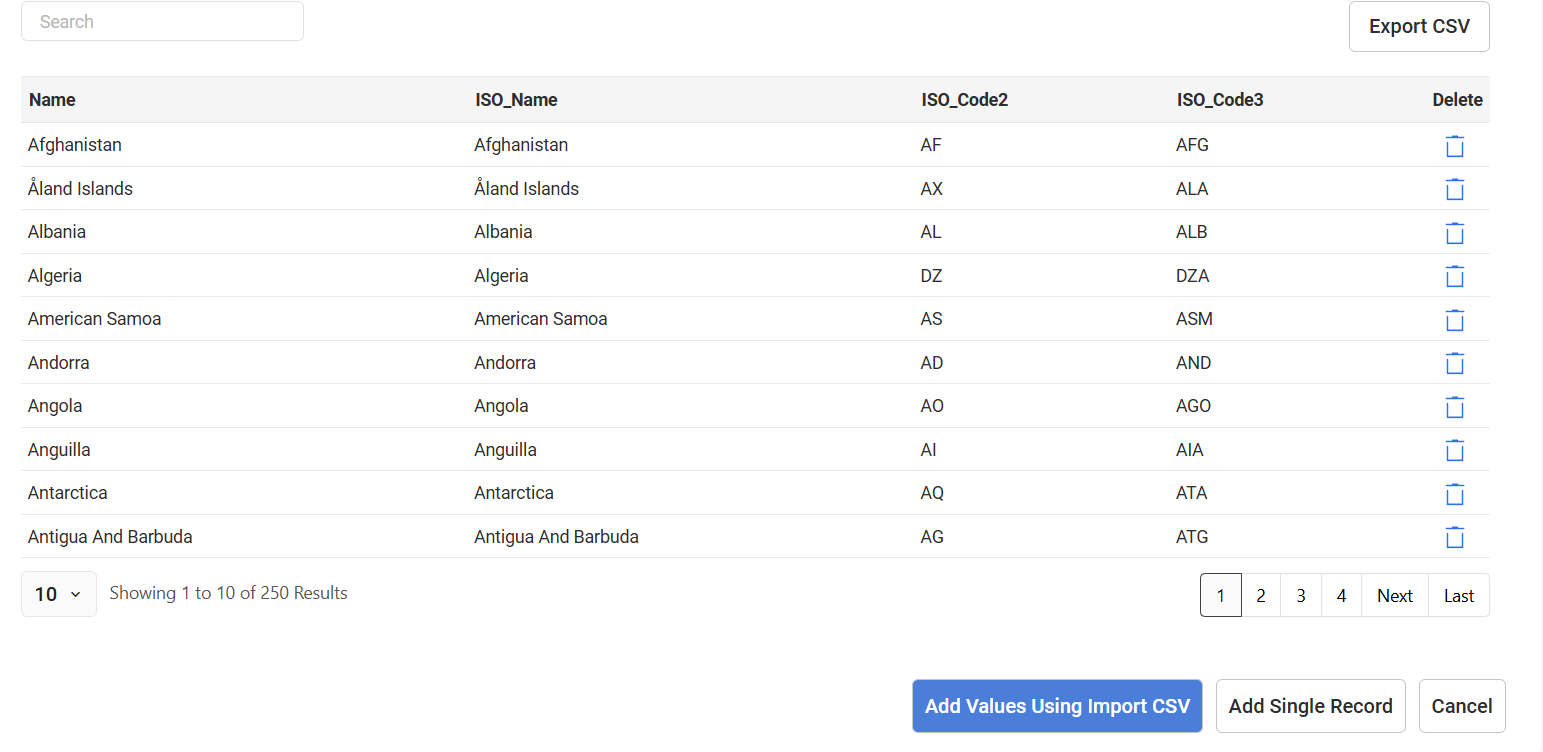
Add Values via Import CSV
Add values to a Standard Lookup Service by importing a CSV file. Added data is editable.
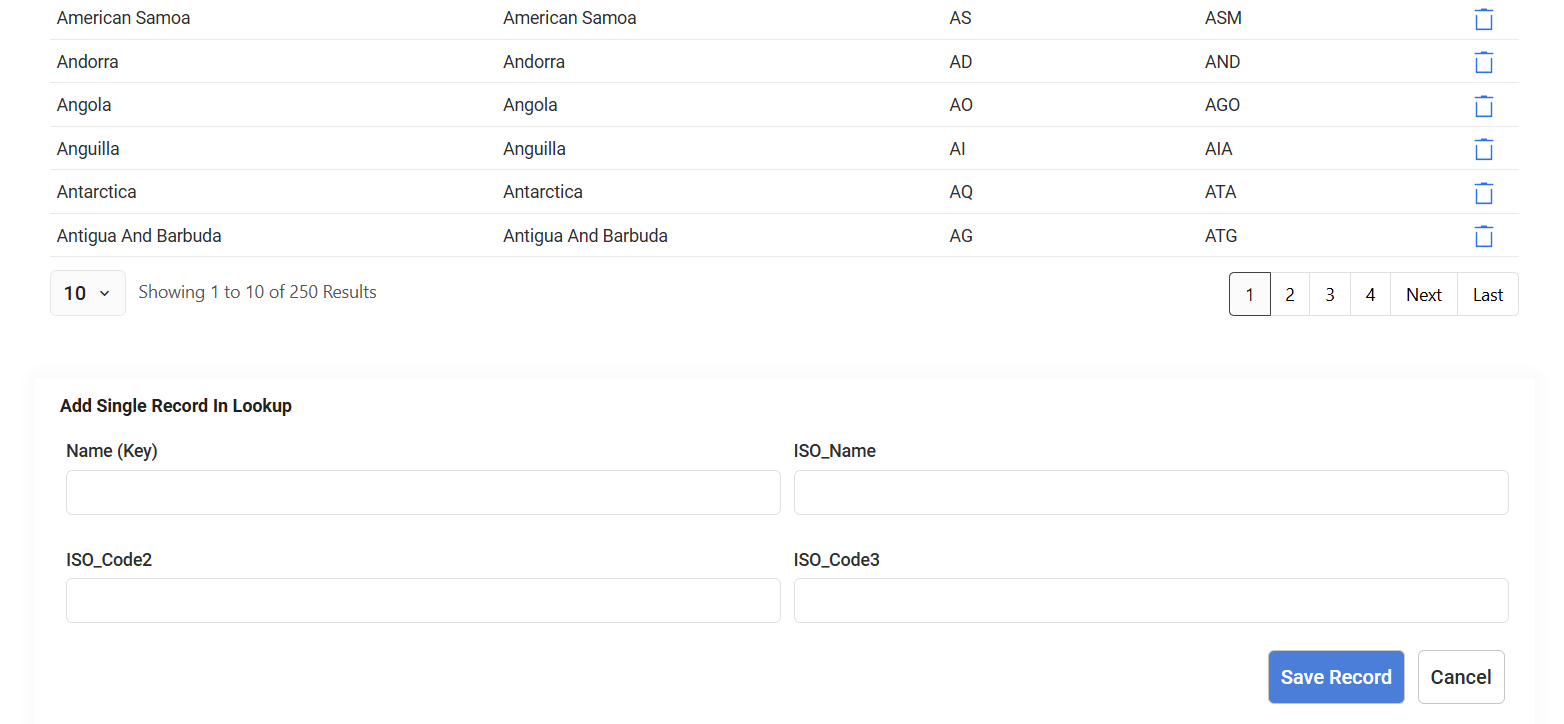
Add Single Record
Use the "Add Single Record" button to insert individual records. Added records are customizable.
Standard Lookup Services
RightWaveCountryLookup
Retrieves ISO Country Codes based on a country name input.
Example: Providing United States returns:
| Field | Value |
|---|---|
| ISO_Name | United States |
| ISO_Code2 | US |
| ISO_Code3 | USA |
Use Case: Standardize address data by converting country names into ISO codes for consistency across your system.
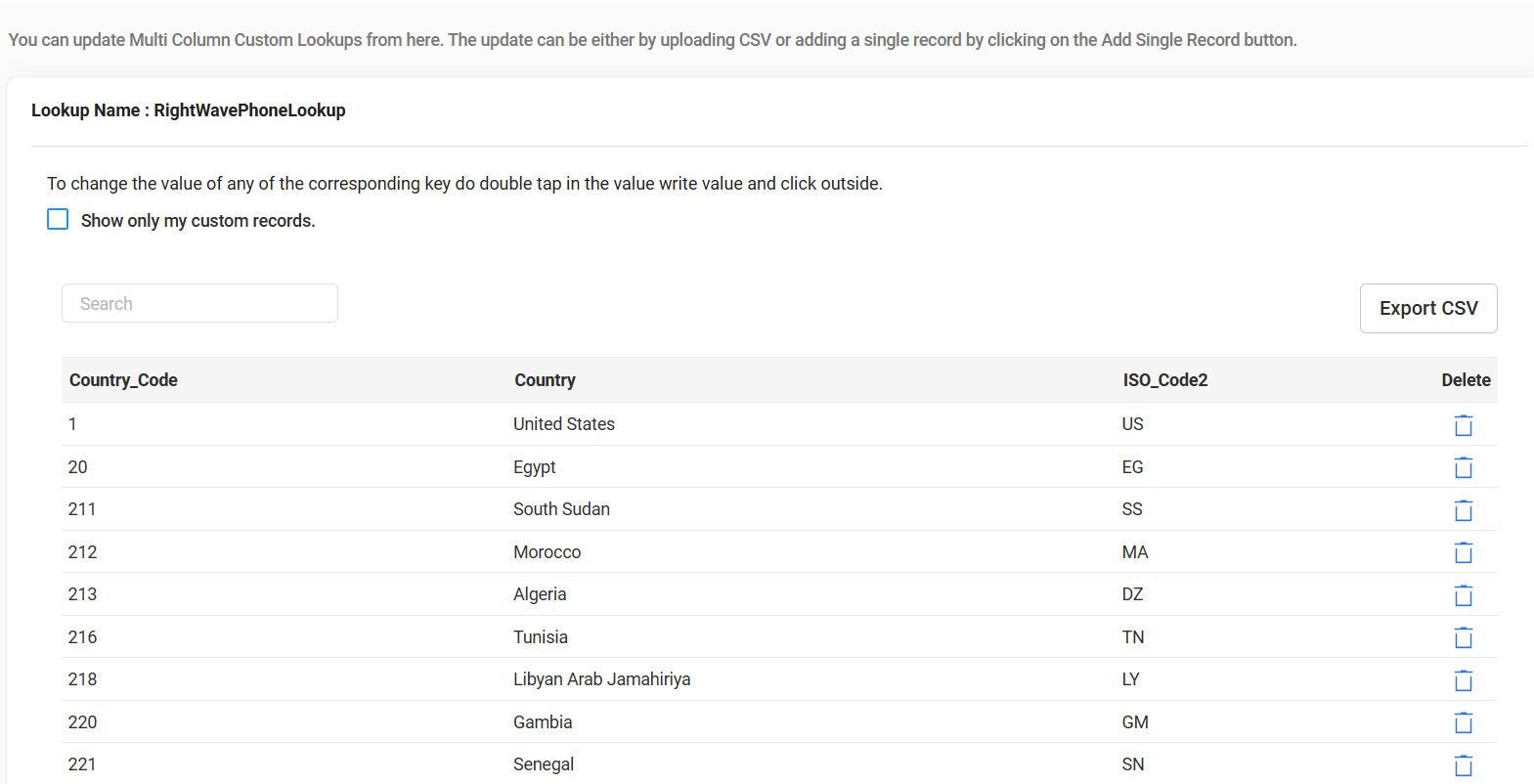
RightWavePhoneLookup
Validates and retrieves phone-related information using a Country Code.
Example: Providing Country_Code: 93 (Afghanistan) returns:
| Field | Value |
|---|---|
| Country | Afghanistan |
| ISO_Code2 | AF |
| Country_Code | 93 |
Use Case: Validate phone numbers when you know the country code and need to confirm the country and its associated details.
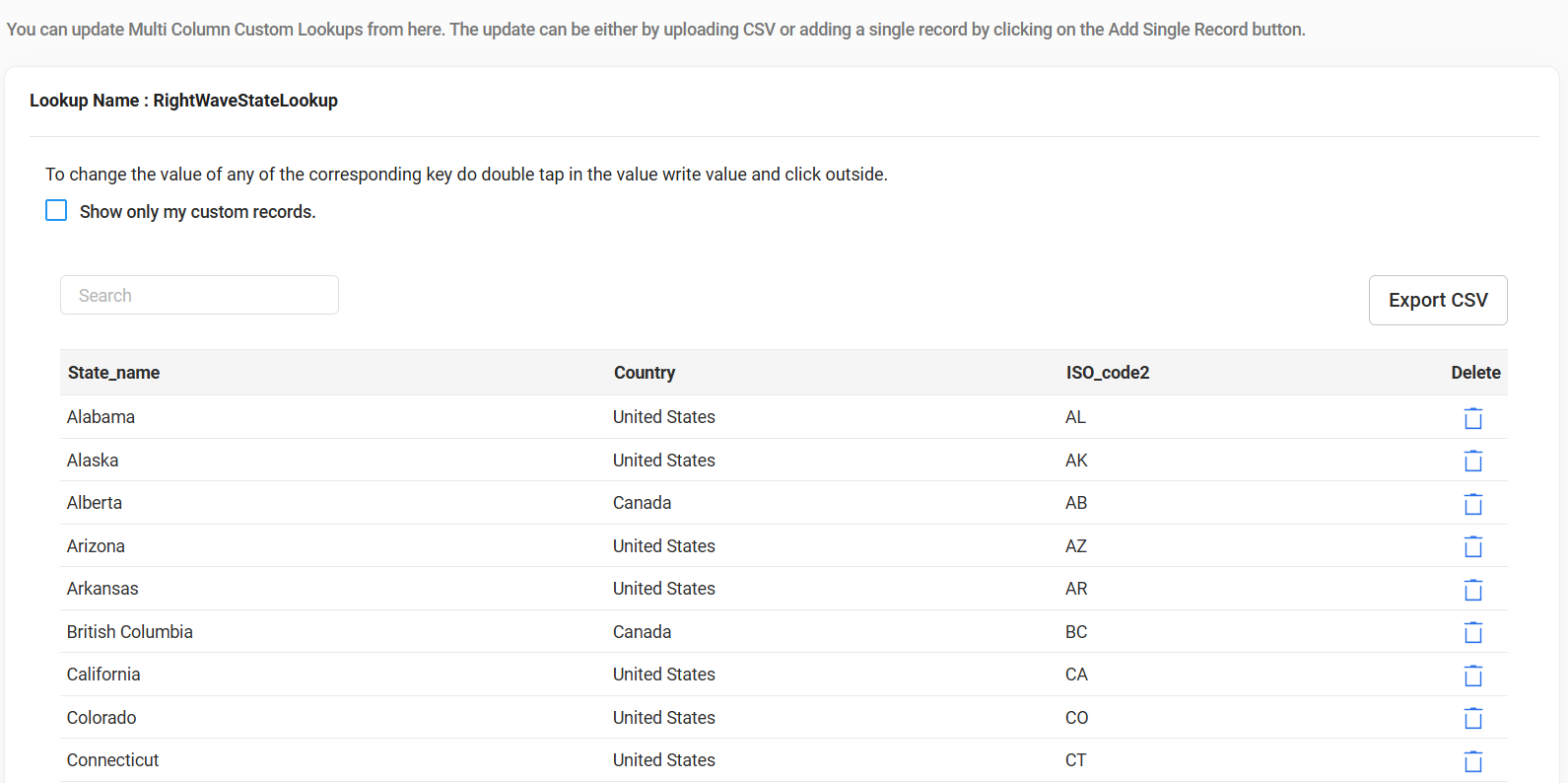
RightWaveStateLookup
Retrieves state information based on the state name.
Example: Providing Alabama returns:
| Field | Value |
|---|---|
| Country | United States |
| LongState | AL |
Use Case: Standardize state information in datasets, ensuring all states are properly abbreviated and consistent.
RightWaveZipCodeLookup (Hidden Lookup)
Retrieves detailed geographical information based on Zip Code and City.
Example: Providing Zip Code: 35004 and City: Acmar returns:
| Field | Value |
|---|---|
| Zip Code | 35004 |
| ZipCodeType | STANDARD |
| City | Acmar |
| State ISO2 | AL |
| State_Name | Alabama |
| Country ISO2 | US |
| Country | United States |
| LocationType | ACCEPTABLE |
| Lat | 33.59 |
| Long | -86.49 |
Use Case: Address validation, location mapping, or any use case requiring detailed geographical data based on Zip Code and City.
Benefits
- Data Standardization: Whether for countries, states, or phone numbers, these lookups ensure all data adheres to standardized formats.
- Easy Integration: Simple to use and integrate — whether working manually, uploading bulk data, or utilizing APIs.
- Customization: While the standard data cannot be modified, you can add new values exclusive to your setup without disrupting the overall system.
How to Use
- Input: Enter the key value (e.g., Country name, State name, or Zip Code) into the respective lookup field.
- Retrieve Results: Get standardized output — such as country codes, state abbreviations, and location data — for further use.
- Data Insertion: Add your own new values if needed, but note that the core lookup values provided by RDN cannot be edited.